December 6, 2025 · Kuba Rogut
Ever wondered what a file extension like .mp3 or .wav actually means? An audio file format is really just a digital container, a purpose-built package that holds all the data needed to store and play back a sound on your device.
Think of it as the specific box designed to hold a song, a podcast episode, or a crucial sound effect. The type of box you choose determines everything from how much space it takes up to how good it sounds.
To really get what's going on inside that digital box, we need to look at its two most important parts: the container and the codec. These two pieces work together to bring sound to your ears, and understanding how they differ is the first big step to mastering audio.
Let's use an analogy. Say you're shipping a fragile vase. The container is the cardboard box you put it in, while the codec is the specific packing method—like using bubble wrap or custom foam inserts—to get it to fit safely.
The Container (The Box): This is the file you see, the one with an extension like .mp3, .wav, or .flac. It bundles up the audio data along with helpful metadata like the artist's name, album title, and track number.
The Codec (The Packing Method): Short for coder-decoder, the codec is the actual algorithm that compresses the raw sound data to make it smaller and then decompresses it for playback. It's the "language" used to shrink the audio for storage and then expand it back out when you hit play.
Before we dive deeper, it helps to have a quick reference for these foundational concepts.
This table breaks down the essential terms we'll be covering, giving you a simple way to remember their roles.
| Concept | Simple Analogy | Primary Role |
|---|---|---|
| Container | A shipping box | Holds audio data and metadata, identified by the file extension (e.g., .wav, .mp3). |
| Codec | The packing method | Compresses and decompresses the audio data inside the container to manage size and quality. |
| Sample Rate | A camera's shutter speed | Determines how many "snapshots" of sound are taken per second, affecting frequency range. |
| Bit Depth | The number of colors in a photo | Defines the dynamic range or the difference between the loudest and quietest sounds. |
| Bitrate | The detail level of a map | Measures how much data is used to represent one second of audio, impacting overall fidelity. |
With these terms in mind, let's explore why so many different formats even exist.
It all comes down to a classic trade-off: audio quality versus file size.
A professional studio recording needs to capture every last nuance, which means a huge, uncompressed file is the only way to go. But if you’re streaming a song on your phone, that file has to be small enough to play instantly without eating up your data plan.
The goal of a codec is to represent the original audio signal with as few bits as possible while maintaining perceptual quality. This balancing act is central to digital audio technology.
This is exactly why lossy encoding—a clever process that throws away inaudible data to shrink files—is still so dominant. In fact, lossy formats accounted for 71.4% of audio codec shipments globally in recent years, a figure powered by the endless demand for music streaming, podcasts, and mobile games. For a closer look at the market, you can find more data on audio codec trends from this Mordor Intelligence report.
Have you ever wondered why a song streamed online can sound crisp and clear, while another you downloaded sounds muddy and distant? The difference often boils down to three key ingredients that dictate the quality of any digital audio file.
Getting a handle on these building blocks—sample rate, bit depth, and bitrate—is the first step to understanding why some audio sounds amazing and some... not so much.
These concepts can seem a bit technical at first, but they're much easier to understand with a simple analogy. Imagine you're creating a flipbook animation.
First up, we have sample rate. This is simply the number of times per second a sound wave is measured, or "sampled," when it's converted from an analog signal to a digital file. In our flipbook analogy, the sample rate is the number of individual drawings you use.
If you only sketch a few drawings for each second of action, the animation will look jerky and unnatural. But if you pack in dozens of drawings per second, the motion becomes fluid and lifelike. Audio works exactly the same way.
Next, there's bit depth. This determines the dynamic range of the audio—the difference between the quietest possible sound and the loudest. Back to our flipbook, think of bit depth as the box of crayons you have to work with for each drawing.
With just a few basic colors, your animation will look flat and lack detail. But give yourself a huge palette with tons of shades, and you can create rich, realistic images with subtle textures.
Bit depth directly impacts the fidelity and nuance of a recording. A higher bit depth provides a lower noise floor and greater detail, especially in very quiet or complex passages of music.
For instance, a 16-bit audio file, the standard for CDs, gives you a palette of over 65,000 distinct volume levels. Bump that up to 24-bit, common in professional recording studios, and you suddenly have over 16 million levels. This massive "palette" allows for capturing incredibly subtle details, from a faint whisper to a powerful crescendo.
Finally, bitrate ties it all together. It’s a measure of how much data (in bits) is being processed every second to play the audio. Think of bitrate as the total file size of your finished flipbook. A higher bitrate means more data is being used every second, which almost always results in higher fidelity.
This is especially important for lossy formats like MP3. A podcast might be encoded at 128 kbps (kilobits per second) to keep the file size small for streaming. But a high-quality track on a service like Spotify can stream at up to 320 kbps to preserve as much sonic detail as possible. The difference is instantly noticeable, and it perfectly illustrates how these building blocks shape everything you hear.
When you're dealing with audio files, you're always up against one big trade-off: do you want perfect, pristine quality, or do you need a smaller, more manageable file size? This is the heart of the lossy versus lossless debate, and the right answer really comes down to what you're trying to accomplish.
Think of it like this: a lossless file is a perfect digital clone of the original recording. It’s like a master blueprint for a building—every single detail, down to the last nut and bolt, is there. Nothing is left out, ensuring a 100% faithful reproduction.
A lossy file, on the other hand, is more like a high-quality photograph of that blueprint. It captures all the essential information needed to understand the building's design, but it might leave out some microscopic details that most people would never notice anyway. The photo is much easier to email and share, but it’s not the original blueprint.
So, how do lossy formats like MP3 and AAC shrink files without completely wrecking the sound? The magic behind it is a field called psychoacoustics—the study of how we humans actually hear and process sound.
These clever algorithms are designed to throw away bits of audio data your brain was probably going to ignore anyway. It’s a very calculated process.
Here’s what they typically look for:
By intelligently cutting out this "inaudible" information, lossy formats can slash file sizes by up to 90%. This whole process is the core of audio compression. If you want to get into the nitty-gritty of the technology, our guide on what is audio compression breaks it all down.
There’s no single "best" format. The right choice is all about the job at hand. You have to pick the right tool for the task.
Choosing between lossy and lossless is a balancing act. For archiving or professional production, lossless is non-negotiable. For everyday listening and streaming, the convenience of lossy formats is undeniable.
Lossless formats (like WAV, AIFF, or FLAC) are your go-to for:
Lossy formats (like MP3, AAC, or OGG) are a better fit for:
Now that we've covered the basics of quality versus file size, let's get to know the actual players on the field. The best way to think about audio formats isn't as a dry list of technical specs, but as different tools for different jobs. Each one has a personality and a purpose, and picking the right one is all about matching its strengths to what you need to accomplish.
This simple comparison gets right to the heart of the matter.
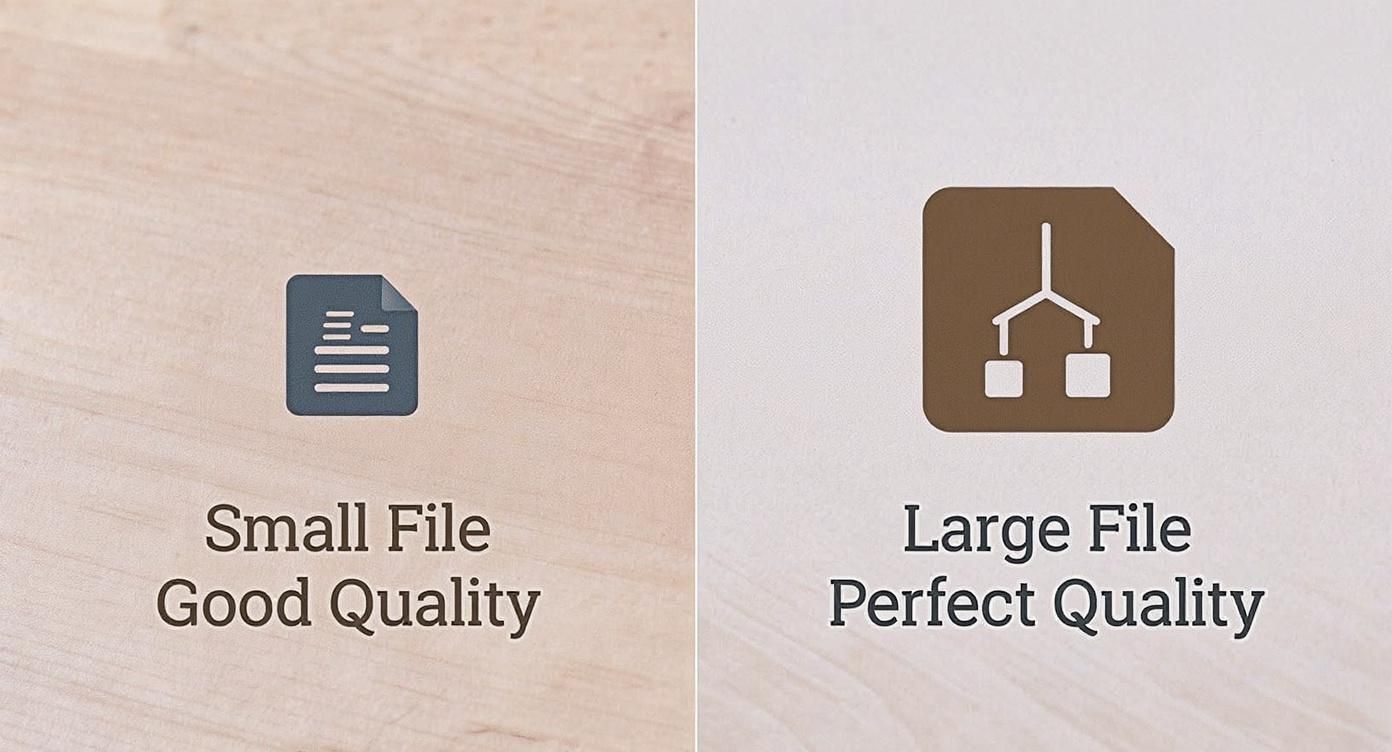
As you can see, it really boils down to that fundamental choice: do you need absolute, perfect quality, or is a smaller, more manageable file the priority?
Meet the heavyweights of the audio world: WAV (Waveform Audio File Format) and AIFF (Audio Interchange File Format). These are the gold standard for audio production because they are completely uncompressed. That means they are a perfect, bit-for-bit digital replica of the original analog sound—think of them as the digital equivalent of a studio master tape.
Because they capture every single detail with zero data loss, WAV and AIFF are the non-negotiable choice for recording, mixing, and mastering. When you can't afford to lose a single nuance, these are the formats you use. The only catch? The files are enormous.
If WAV is the studio master tape, then MP3 (MPEG-1 Audio Layer 3) is the format that brought music to the masses. It was a game-changer, using lossy compression to shrink audio files down to a fraction of their original size, making them easy to share and store.
Its superpower is its universal compatibility. From ancient MP3 players to the latest smart speakers, almost every device made in the last two decades can play an MP3. While newer formats might offer better quality for the same file size, the MP3’s reliability and widespread support keep it relevant. Often, a key step in production is converting a master file into something more accessible, a process you can learn more about in our guide on how to change a WAV to an MP3.
Think of AAC (Advanced Audio Coding) as the clever successor to MP3. It’s also a lossy format, but it uses a more sophisticated compression algorithm. The result is better sound quality than an MP3 at the same bitrate—it's just more efficient at deciding which data to discard.
You’ll find AAC everywhere in the modern streaming world. It’s the standard for Apple's entire ecosystem (iTunes, iPhones, Apple Music), YouTube, and countless digital radio stations. Its blend of high quality and small file size makes it perfect for online delivery.
What if you want pristine, master-level quality but can't stomach the massive file sizes of WAV or AIFF? That's where lossless formats come in. Meet the perfect archivists: FLAC (Free Lossless Audio Codec) and ALAC (Apple Lossless Audio Codec).
These formats are genius. They use a type of compression that shrinks files by around 50-60% without throwing away a single bit of audio information. It's like zipping a file; when you unzip it (or in this case, play the track), it’s restored to its original, perfect state. This makes them the ultimate choice for audiophiles who want to archive their music collection without compromise.
https://www.youtube.com/embed/xJKypZXc3B4
Audio formats are the unsung heroes of modern media. They're the invisible engine running behind your morning podcast, the movie you streamed last night, and that intense gaming session. You probably don't think about them much, but without their clever designs, our digital lives would sound very, very different.
Take music streaming, for example. It's completely taken over the industry, pulling in over US$20 billion and making up a whopping 69.0% of all recorded music revenue. This entire empire is built on the back of efficient audio formats. For a deeper dive, the full audio streaming market report has some incredible data.
Streaming giants like Spotify and Apple Music couldn't exist without formats like AAC. It allows them to fire millions of songs across the globe in an instant, even if you’re on a shaky cellular connection.
They pull this off with a smart trick called adaptive bitrate streaming. Your device and their server are constantly talking, gauging the strength of your internet connection. If you're on a solid Wi-Fi network, you might get a crisp 256 kbps AAC stream. But the second you walk out the door and your signal drops, it seamlessly switches to a lower bitrate. The music never stops—it just gets a little less detailed to prevent that dreaded buffering.
Lately, these services have also started chasing the audiophile crowd with "Hi-Fi" and "Lossless" subscription tiers. This is where formats like FLAC and ALAC come in, delivering sound that's identical to the original studio master. It's a premium experience for listeners who refuse to compromise on quality.
But the impact of audio formats goes way beyond just your favorite playlist.
Online Gaming and Chat: Think about coordinating a strategy with your team over voice chat. You need to hear every word, instantly. Communication platforms like Discord lean heavily on the Opus codec, which was purpose-built for delivering incredibly clear voice chat with minimal delay.
Immersive Game Worlds: Game developers have a tough balancing act. They need to create sprawling, detailed soundscapes but keep the game's file size from ballooning into a multi-day download. This is why formats like OGG Vorbis are so popular in the gaming world; they deliver fantastic audio quality without eating up all your hard drive space. It's a critical piece of the puzzle for building believable worlds, a topic we explore more in our guide on what is spatial audio.
Every digital interaction that involves sound—from a simple notification ping on your phone to a full cinematic soundtrack—is enabled by a specific audio format chosen for its unique strengths.
So, from making sure your workout mix plays without a skip to enabling crystal-clear communication with teammates across the world, audio formats are the invisible glue holding our digital experiences together. They're the practical link between the technical jargon of codecs and containers and the sounds you hear every single day.
Okay, so we've waded through the technical stuff. Now for the important part: how does this apply to your work? Knowing the theory is great, but making the right choice in the real world is what separates a good project from a great one.
Let's cut through the jargon and get down to practical advice. Whether you're recording a podcast, mastering a track, or editing a film, picking the correct format isn't just a technical detail—it's a creative decision that impacts how your audience experiences your work.
The "best" format really just means the best format for the job at hand. You wouldn't use a sledgehammer to hang a picture frame, right? Same idea here. It’s all about balancing quality, file size, and where your project is going to live.
Here are some go-to recommendations for different creative fields.
For Podcasters: Your main goals are clarity and ease of access. For spoken-word content, you really can't go wrong with a mono MP3 at 96 to 128 kbps. This hits the sweet spot, keeping file sizes tiny for fast downloads and streaming on mobile devices, without sacrificing vocal clarity.
For Musicians: You need to think about your audio in two distinct phases: preservation and distribution. For your final master, always, always export a 24-bit WAV file at your project's original sample rate. This is your digital negative—your perfect, uncompromised archive. When it's time to share with the world on streaming services or for downloads, a high-quality 320 kbps MP3 or a 256 kbps AAC is the professional standard.
For Videographers and Filmmakers: When audio is tied to video, compatibility rules all. The hands-down winner here is AAC. It's the standard codec for video containers like .mp4 and .mov for a reason. It's efficient and works flawlessly on virtually everything, from YouTube to smartphones and smart TVs.
Think of your master file as the original painting and your exported files as the high-quality prints. You always protect the original (WAV/AIFF) while creating accessible copies (MP3/AAC) for everyone to enjoy.
By matching the audio format to its final destination, you're making sure your audience hears your project exactly as you intended, no matter where or how they’re listening.
After digging into the technical side of audio formats, a few common questions always seem to surface. Let's clear up some of those lingering uncertainties so you can feel confident you're making the right choice for your projects.
If you're looking for pure, untouched audio fidelity, nothing beats uncompressed formats like WAV and AIFF. Think of them as perfect digital clones of the original source audio. This is why they're the gold standard in professional recording studios and for mastering engineers.
But what if you need that flawless quality without the massive file size? That's where FLAC comes in. It's a lossless format, which means it cleverly shrinks the file down for storage but restores it to its original, bit-perfect state on playback. It's the best of both worlds for serious music collectors and archivists.
Unfortunately, no. Once an audio file has been compressed into a lossy format like MP3, the data that was thrown away to save space is gone for good.
Trying to "upgrade" an MP3 to FLAC is like trying to un-bake a cake. You’ll end up with a much bigger file, but it will just be a larger container holding the same lower-quality audio from the original MP3. The lost ingredients can't be put back in.
This is a great question that gets right to the heart of the container vs. codec difference. Think of it this way: the .m4a file is the box, and the AAC audio is what's inside the box.
The .m4a container is part of the MPEG-4 standard and it's quite versatile. It can hold audio compressed with the lossy AAC codec (which is most common) or even Apple's lossless ALAC codec. This is standard practice for digital music storefronts like the iTunes Store.
Ready to create the perfect sound for your next project? With SFX Engine, you can generate custom, royalty-free sound effects instantly using AI. Stop searching and start creating. Try SFX Engine for free today!
