Finding the Best DAW for Sound Design in 2024
Discover the best DAW for sound design with our guide. We compare top choices for film, game, and music production to help you find the perfect fit.
Kuba RogutPublished 20 min read
So, you're on the hunt for the best DAW for sound design. Here’s the short answer: there isn't one. The "best" choice is really about your specific workflow. If you're working in film and TV post-production, Pro Tools is the undisputed industry standard. But for the non-linear, experimental world of game audio and music, Ableton Live is often the more creative and flexible tool.
The real key is to match the software’s strengths to what you actually do day-in and day-out.
What Really Makes a DAW Great for Sound Design
Before we get into a brand-versus-brand showdown, let's step back and think about what a sound designer truly needs from their software. A Digital Audio Workstation isn't just a program for recording; it's your entire creative sandbox. Think of it less like a tape machine and more like a specialized workshop, kitted out for the specific kind of work you do.
A sound designer for film needs something like a precision assembly line, where every footstep and explosion must lock perfectly to the picture. On the other hand, a game audio designer needs a modular laboratory, built for endless experimentation and creating sounds that can react in real-time. This guide will dig into the core features that make all that creative work possible. If you need a refresher on the basics, our guide on what is a Digital Audio Workstation is a great place to start.
Your Project Defines Your Toolkit
The type of media you work on completely changes what you need from your DAW. Post-production for film and television is all about the timeline. Every single sound has to be placed with frame-by-frame accuracy against visual cues, so a linear, timeline-focused workflow is non-negotiable.
In contrast, interactive media like video games often thrives on a non-linear approach. You aren't just creating a finished audio track; you're building a library of modular sound assets that can be triggered and manipulated in countless ways.
This handy decision tree shows the two main paths most sound designers take when starting out.
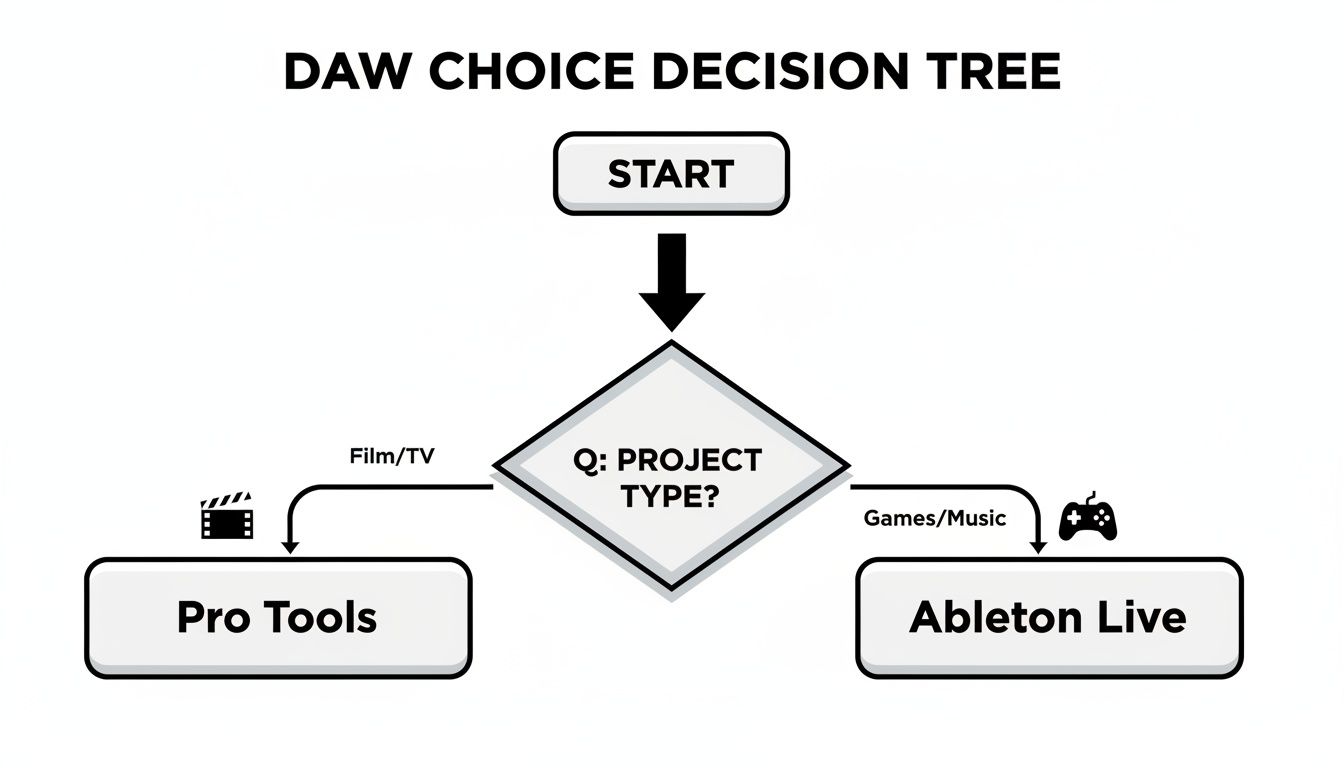
As you can see, there's a pretty clear split. Pro Tools has long been the king of the hill for film and TV, while Ableton Live has become a creative powerhouse for game audio and music production.
The Non-Negotiable Features
No matter which brand you lean towards, any DAW worth its salt for sound design has to deliver on a few fundamental features. These are the tools that let you twist, shape, and sculpt audio into something entirely new.
To make this easier, here’s a quick-glance table of the features you absolutely need to look for.
Key DAW Features for Sound Design at a Glance
| Feature | Why It's Essential for Sound Design |
|---|---|
| Flexible Signal Routing | Lets you send any sound to anywhere. Essential for creating complex layers, parallel processing, and unique effect chains. |
| Deep Automation | Gives you frame-by-frame control over every knob and fader, allowing you to animate sounds and make them feel alive. |
| Powerful Synthesis & Sampling | The building blocks of sound design. Synthesis creates sounds from scratch, while sampling lets you manipulate existing audio into something new. |
| Non-Destructive Editing | Your creative safety net. It means your original audio files are never altered, so you can experiment freely without fear of ruining anything. |
These core functions are the bedrock of professional sound design. They give you the power to take raw audio—whether from a field recording or a new AI sound generator—and transform it into a compelling sonic experience.
The Core Features Every Sound Designer Needs
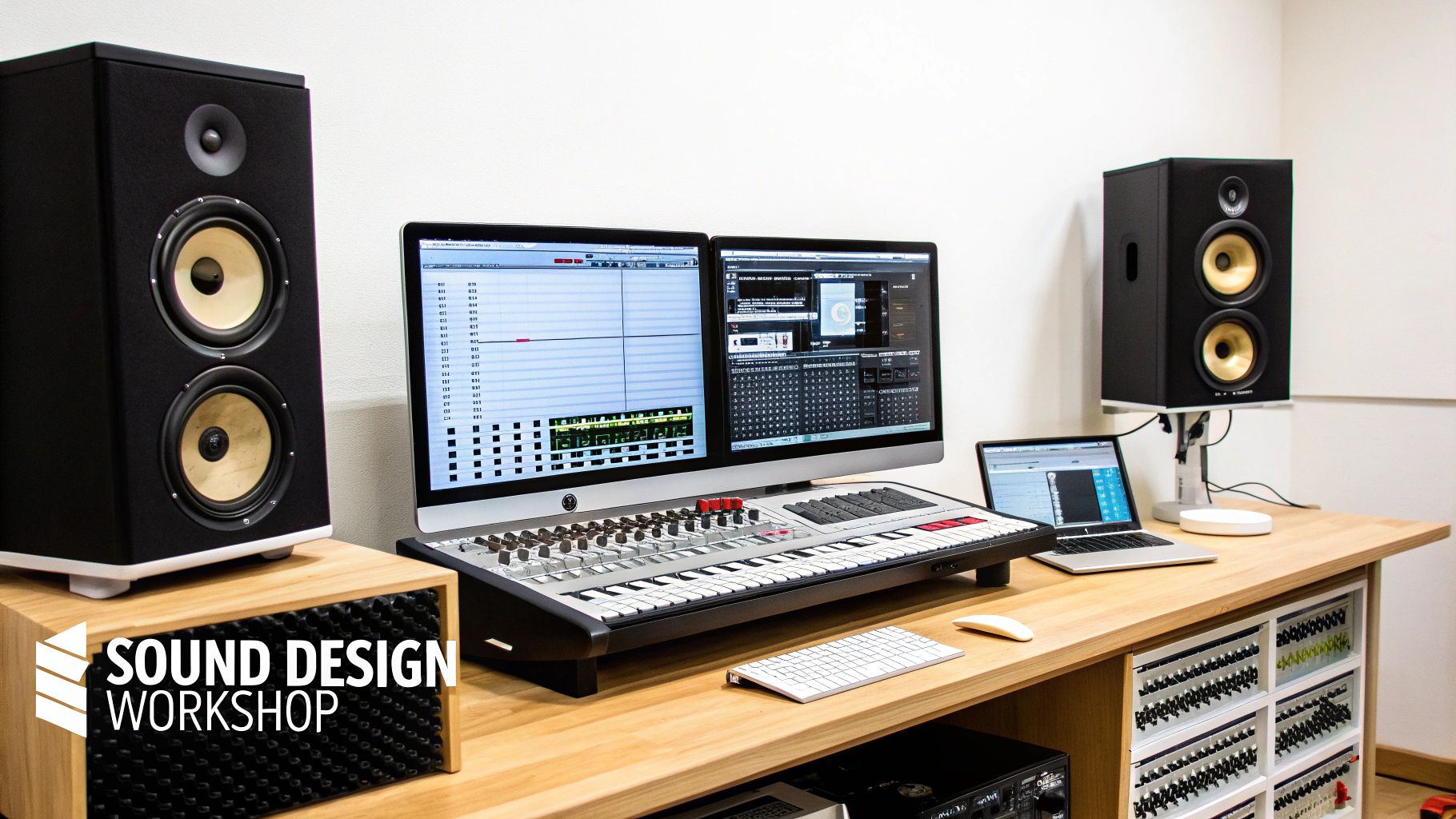
When you're hunting for the right DAW, it's easy to get sidetracked by flashy UIs or a long list of bundled plugins. But for serious sound design, none of that matters as much as a handful of rock-solid, fundamental features. These are the tools that give you the power to bend audio to your will, with both surgical precision and wild creativity.
Think of these as the absolute non-negotiables. Get these right, and you'll have a creative partner. Get them wrong, and you'll spend all your time fighting your software. Before you even think about brand names, make sure any DAW you consider nails these four things.
Advanced Signal Routing and Bussing
Your DAW's routing is like a digital mixing console on steroids. Advanced routing means you can send any audio signal anywhere, in any combination, as many times as you like. We're not just talking about sending a track to the master output. This is about creating complex, parallel signal chains that open up a world of sonic possibilities.
For example, you could take one monster roar and split it into three different paths simultaneously. One path gets drenched in a massive hall reverb, another gets mangled with heavy distortion, and the third gets a subtle, spooky delay. By blending these processed signals back together, you create a sound that's infinitely richer and more complex than you could ever get with a simple effects chain.
A DAW with flexible routing lets you stop thinking like an editor and start thinking like a sound sculptor. Your session becomes a modular playground where sound can be split, combined, and morphed in countless ways.
This leads us to bussing, which is essentially creating sub-mixes within your project. You can group all your foley footsteps onto a single "Foley Bus" or all your sci-fi weapons onto a "Weapons Bus." This is a game-changer for two big reasons:
- It keeps you sane. When you're wrestling with hundreds of tracks, grouping keeps your project organized and manageable.
- It glues sounds together. You can apply a single compressor or EQ to an entire group of sounds, giving them a unified character so they sit perfectly in the mix.
A great sound design DAW makes this stuff feel intuitive, letting you drag, drop, and manage these complex signal paths with ease.
Granular Automation for Dynamic Sound
If routing is the plumbing, then automation is what makes the water dance. It’s how you tell your DAW to automatically turn knobs and move faders over time, breathing life, movement, and emotion into your sounds.
Imagine being a puppeteer for every single parameter in your project. With automation, you can draw curves to make a sound's volume swell dramatically, or sweep a filter's frequency to build tension. For sound designers, this control has to be incredibly precise—what we call "granular."
This means you can zoom right into the waveform and make tiny adjustments that happen in milliseconds. That level of detail is crucial for creating convincing sounds, like the subtle pitch-bend on a bullet ricochet or the shifting textures of a crackling fire.
Synthesis and Sampling: The Building Blocks
At its core, sound design is all about two things: making sound from scratch and messing with sound that already exists. A top-tier DAW has to be a master of both.
-
Synthesis: This is the art of creating sound electronically, usually with oscillators and filters. Think of a synthesizer as a lump of digital clay. You start with a basic waveform—like a saw or sine wave—and shape it into something completely new and unheard of. It's the key to creating futuristic sci-fi effects, otherworldly ambiences, and anything else you can't record with a microphone.
-
Sampling: This is where you take a piece of existing audio—whether it's a field recording or a library sound—and transform it. A powerful sampler lets you chop it up, stretch it, pitch-shift it, and loop it into oblivion. That recording of a squeaky door? Pitch it down, add some reverb, and you've got a monstrous impact.
The best DAWs don't just include these tools; they integrate them seamlessly. You get powerful built-in synths and samplers that let you layer, mangle, and combine generated and recorded audio without breaking your creative flow.
Non-Destructive Editing: Your Creative Safety Net
This is maybe the most important principle of all: non-destructive editing. Think of it as your ultimate undo button, a philosophy that ensures your original audio files are never, ever permanently changed.
It’s the difference between painting on a canvas and editing a photo in Photoshop. On a canvas, every brushstroke is permanent. In Photoshop, you work with layers; you can add effects, make changes, and simply hide a layer to go back to the original image. That's exactly how non-destructive audio editing works.
You can slice, fade, time-stretch, and process a clip a hundred different ways, but the source file on your hard drive remains completely untouched. This freedom is everything. It means you can experiment, take huge creative risks, and push your sounds to the limit, knowing you can always go back to the original if things go wrong.
Pro Tools: The Industry Standard for Post-Production
When you talk about sound for film and television, one name always comes up: Pro Tools. It’s not just popular; it’s the bedrock of the post-production world. Studios across the globe have built their entire workflows around it for one simple, non-negotiable reason: it keeps sound locked to picture, perfectly, every single time.
This singular focus makes it the best DAW for sound design where precision is everything. Think of its timeline less as a musical canvas and more as a calibrated ruler measured in video frames. This frame-accurate editing is the foundation of professional post-production, giving you the surgical control needed for tasks like dialogue editing, where being off by even a single frame can completely break the illusion.
Its reputation for stability is legendary. In high-stakes studio environments with tight deadlines and even tighter budgets, a crash isn't just an annoyance—it's a financial disaster. Pros trust Pro Tools, especially when paired with Avid's own hardware, to be a rock-solid ecosystem that just works.
Why It Excels in Linear Workflows
The real power of Pro Tools for post-production is its clip-centric workflow and incredibly deep signal routing. Unlike music-focused DAWs, every audio clip on the timeline is its own self-contained object. You can trim it, fade it, and process it with an insane amount of control without affecting anything else.
This clip-based approach is absolutely essential for a few key tasks:
- Dialogue Editing: Cleaning up dialogue requires microscopic adjustments. Pro Tools lets editors fly through takes, isolating, repairing, and aligning every single syllable to the actor's lips on screen.
- Foley Recording: The art of performing sounds like footsteps or rustling cloth in sync with the picture demands a seamless system. Artists can perform takes right onto the timeline and immediately start editing them to fit the on-screen action perfectly.
- Immersive Audio Mixing: With formats like Dolby Atmos now standard, you need to manage hundreds of tracks and complex bussing. Pro Tools has the heavy-duty mixing architecture needed to place sounds precisely in a 3D space.
Pro Tools operates like a specialized assembly line for sound. Every feature is designed to move audio through the post-production process—from recording and editing to mixing—with maximum efficiency and accuracy, ensuring nothing ever slips out of sync.
Integrating AI for Faster Asset Creation
Even in this highly structured world, modern tools can give you a massive creative speed boost. Let's say you're designing sound for a horror film and need a specific ambience: an eerie wind howling through a broken window during a storm. Instead of digging through sound libraries for hours, you could turn to an AI sound generator like SFX Engine.
You just type in that prompt and get several custom options in seconds. Once you find the perfect one, you can drag and drop the royalty-free audio file straight into your Pro Tools timeline. The AI handles the initial grunt work of creating the asset, freeing you up to use the powerful editing and mixing tools in Pro Tools to layer it, process it, and sit it perfectly in the scene. It’s a hybrid workflow that combines the raw speed of AI with the unmatched precision of an industry-standard DAW.
The dominance of Pro Tools in professional audio is well-documented. It stands as the undisputed king for sound design in film, TV, and game post-production, a fact reflected in market data projecting North America's 30.2% share of the $4.39 billion global DAW market by 2025. Avid's flagship captures a significant piece of the 57.9% software-led revenue, and its tools have been essential since its launch. You can learn more about the growth of the digital audio workstation market.
Since Pro Tools is the go-to for audio post-production, sound designers often work hand-in-hand with video editors. Knowing their tools, especially for major platforms like YouTube, gives you a much better picture of the entire production pipeline. For a rundown, check out some of the top video editing software for YouTube to see the other side of the creative toolkit.
Ableton Live: A Playground for Real-Time Sound Manipulation
While Pro Tools owns the linear, frame-by-frame world of film, Ableton Live thrives in chaos and experimentation. It’s less of a precision ruler and more of a creative laboratory, which is exactly why it’s a favorite for game audio and electronic music.
The entire philosophy behind Live is built around a non-linear workflow. It encourages you to treat sound not as a fixed event on a timeline, but as a fluid element you can launch, layer, and mangle on the fly. This makes it an amazing space for rapid prototyping and those "happy accidents" that often lead to the best sounds.
The Power of Session View
The heart and soul of Ableton Live is its Session View. Instead of a traditional horizontal timeline, you get a grid where you can drop audio clips, loops, and MIDI patterns. Any clip can be triggered independently, letting you audition different combinations of sounds in an instant.
Think of it as your personal sound design sandbox. You can toss in dozens of ideas—a metallic clang, a crackling fire, a low synth drone—and trigger them in any order you want, just to see what happens. For a game audio designer trying to build a complex, multi-layered event, this workflow is a revelation.
Session View isn't just a feature; it's a completely different way of thinking about sound. It encourages improvisation and lets you build complex textures organically, free from the constraints of a rigid timeline.
Imagine you're designing a magic spell. You can load separate clips for the "charge-up," the "cast," the "impact," and the "fizzle." From there, you just start triggering them to find the perfect rhythm and layering. This whole process takes seconds, not the minutes of tedious timeline editing you'd face in other DAWs.
Warping and Mangling Audio
Ableton Live’s Warping algorithms are famous for good reason. These tools let you stretch, twist, and pitch-shift audio in real time with stunning clarity. Sure, most DAWs have time-stretching, but Live's algorithms feel like they were built for extreme creative abuse.
You can take a simple recording of a dog bark and stretch it into a monstrous, guttural roar. Or you could pitch-shift a sample of breaking glass into a shimmering, angelic texture. The different Warp modes are like different lenses for your sound:
- Beats Mode: Perfect for chopping up percussive sounds and rhythmic loops.
- Tones Mode: Great for cleaner, monophonic sounds like vocals or basslines.
- Texture Mode: Designed for complex, polyphonic audio like ambiences and pads, allowing for some wild granular manipulation.
- Complex Pro: This is the high-fidelity algorithm for stretching full tracks or intricate sound designs with the fewest artifacts.
This degree of hands-on control makes Live an absolute beast for creating otherworldly sound effects and morphing everyday source material into something entirely new.
Max for Live: Limitless Customization
For anyone who wants to push things even further, Max for Live is the ultimate gateway to infinite possibilities. It's a visual programming environment baked right into Live that lets you build your own audio devices, instruments, and sequencers from scratch.
Don't worry, you don't need to be a coder to get started. There’s a massive community sharing thousands of free, pre-made devices—from complex granular synths to bizarre audio-mangling effects. This means that if you can imagine a sound design tool, you can probably build it or find it with Max for Live.
This expandability is a huge reason why so many sound designers lean on Ableton Live when they need to create a truly unique sonic identity. In a crowded market, that kind of flexibility is everything. It makes sense when you see that software-only DAWs dominate with a 66% global market share. As these DAW market research findings show, features like Session View and a powerful warping engine are exactly what helps a DAW stand out.
Exploring Other Powerful DAWs and Essential Plugins
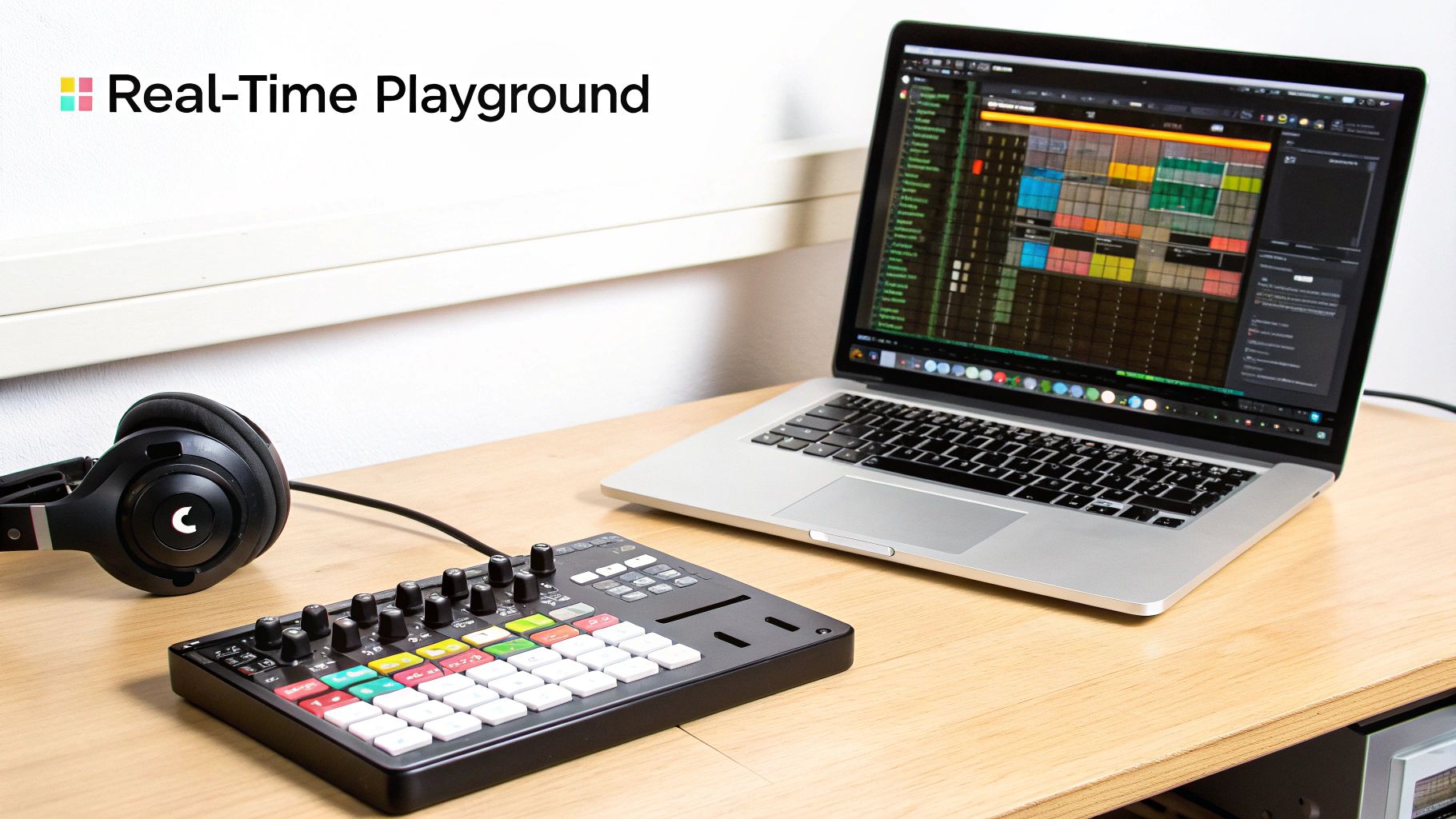
Pro Tools and Ableton Live might get most of the spotlight, but the reality is that the best setup is rarely just one piece of software. A sound designer's toolkit is a deeply personal thing, and there are several other top-tier DAWs with unique strengths that could be a perfect fit for you.
The secret isn't finding one magic program. It’s about understanding how your main DAW can work with specialized plugins to create a true sound design powerhouse. You might just find a workflow in one of these alternatives that clicks with you in a way the big names never did.
Notable DAWs for Sound Designers
While we've spent time on the industry giants, let's look at a few other DAWs that have earned fiercely loyal followings for good reason.
- Reaper: If you want the ultimate bang-for-your-buck, look no further. Reaper is legendary for its insane level of customizability and feather-light performance. You can bend nearly every corner of the interface to your will with user-made scripts, making it a tinkerer’s dream come true. It’s a full-blown professional environment for a fraction of what others cost.
- Logic Pro X: For anyone on a Mac, Logic Pro is an almost unbelievable value. It comes packed with a massive, high-quality library of virtual instruments, synths, and effects. It's a complete studio in a box from day one. Its traditional, linear workflow makes it a solid choice for music and post-production alike.
- Cubase: Cubase has been innovating for decades, and it still leads the pack when it comes to MIDI and scoring. Its MIDI editing tools are incredibly deep, giving composers granular control over every note. This makes it a go-to for anyone creating expressive orchestral mockups or intricate electronic pieces.
Plugins: The Specialized Tools of the Trade
No matter what DAW you land on, plugins are what turn it from a simple recorder into a bespoke sound design studio. Think of your DAW as the workshop—it has the walls, the workbench, and the power. But the plugins are your specialized tools: the high-precision laser cutters, the custom lathes, and the exotic sanders that do the real work.
A great DAW gives you the canvas, but plugins are the specific brushes you paint with. This is especially true when it comes to synthesis, as third-party instruments often open up sonic possibilities far beyond what comes standard. This is where you really start to craft a signature sound.
Your DAW is the environment where you organize, edit, and mix. Your plugins are where the magic of sound creation truly happens, transforming simple waveforms into complex, evocative audio.
Understanding this distinction is the key to finding the best DAW for sound design for your own process. It's less about a single perfect program and more about building a flexible system that works for you. For a wider look at the tools shaping the industry, you can check out our guide on the best sound design software available today.
A Deeper Look at Serum
One plugin that has become almost synonymous with modern sound design is Serum by Xfer Records. It's a wavetable synthesizer, but what makes it so popular is its incredible visual feedback. You can literally see the soundwaves you're sculpting, which makes complex synthesis concepts feel way more intuitive.
Its clean interface lets you manipulate, morph, and filter wavetables with surgical precision. This makes it perfect for designing everything from futuristic UI sounds and robotic vocalizations to monstrous creature roars. Hosted in a DAW, Serum has become a major force in the growing $3.21 billion global DAW market. With music studios projected to grow at an 11.1% CAGR through 2033, tools like Serum, with its 200+ wavetables, are essential for creating the otherworldly sounds modern media demands. You can read more about these digital audio workstation market insights.
At the end of the day, your DAW provides the structure, but plugins like Serum are where you’ll spend most of your creative time. This hybrid approach—a solid, reliable DAW paired with best-in-class plugins—is the foundation for a truly powerful and versatile sound design workflow.
How AI Sound Generation Elevates Your DAW Workflow
The traditional sound design process is incredibly powerful, but it’s always had one major bottleneck: finding or creating the perfect source audio. This is where your workflow is about to get a serious upgrade, bridging the gap between your trusted DAW and the creative power of artificial intelligence.
AI sound generators aren't here to take over your job or replace your DAW. Think of them as a creative partner—an infinitely deep well of raw, unique audio that feeds directly into your existing setup. They’re the ultimate launchpad for sonic exploration.
From Idea to Audio in Seconds
Picture this: you're on a tight deadline and need a hyper-specific sound—say, a small robotic insect crawling across a corroded metal surface inside a ventilation shaft. In the old days, that meant hours of digging through sound libraries, hoping for something close, or setting up a complicated Foley session.
With AI, the game changes. You just type that exact description into a sound generator. Seconds later, you get a handful of unique, high-quality, and totally royalty-free audio files made just for you. This isn't about settling for "good enough"; it's about conjuring the perfect sound out of thin air.
If this sounds intriguing, exploring AI sound generation platforms like LunaBloom AI can open up a whole new world of asset creation. It’s a massive time-saver that lets you jump straight from ideation to creation.
The Hybrid AI-DAW Workflow
Once you have these AI-generated sounds, the real work begins right back in your DAW. You can drag and drop the files directly into your Pro Tools, Reaper, or Ableton session, and this is where your skills as a sound designer truly shine.
AI generates the raw clay, but your DAW is where you become the sculptor. The true power lies in using your expertise to shape, layer, and mix these new sounds into a polished, professional product.
With these new assets on your timeline, you can get to work:
- Layer Multiple Takes: Why use one sound when you can use three? Stack a few AI-generated variations to build a much richer and more complex texture.
- Apply Advanced Processing: This is your home turf. Use your go-to EQs, compressors, and reverbs to carve out the sound and make it sit perfectly in the mix.
- Automate with Precision: Draw in detailed automation curves to make the sound breathe, move, and react to every nuance of the on-screen action.
- Synthesize and Sample: Drop the AI audio into your DAW’s sampler or granulator. Chop it, stretch it, and twist it into something entirely new.
This hybrid approach really is the best of both worlds. It pairs the incredible speed of AI asset creation with the deep, surgical control that only a DAW can provide. To learn more about these techniques, our guide on how to create sounds is a great next step. By letting AI handle the initial grunt work, you free yourself up to focus on what really matters: the art of sound design.
Frequently Asked Questions
Jumping into the world of sound design DAWs can feel like a lot. With so many options all claiming to be the best, it's easy to get overwhelmed. Let's tackle some of the most common questions head-on to help you find your footing.
Do I Need an Expensive DAW to Start Sound Design?
Absolutely not. It's a common myth that you need to drop a ton of cash to get professional results. While big-name studios might run on expensive rigs like Pro Tools Ultimate, there are incredible alternatives that won't break the bank.
A DAW like Reaper, for instance, is famous for its tiny price tag but packs a punch with a feature set that rivals the industry giants. Most major DAWs also offer free trials or lite versions, which are perfect for learning the ropes without any financial pressure. The real investment is your time and skill.
The quality of your sound design is determined by your creativity and technical skill, not the price tag of your software. A skilled artist can achieve amazing results with basic tools, while expensive software is useless without the knowledge to operate it.
Which DAW Is Best for Both Music and Sound Design?
This is a great question because the lines between these two fields are constantly blurring. Many DAWs can handle both, but they often have different strengths.
Ableton Live is a serious contender here. Its unique Session View is a sound designer's playground for experimenting and jamming on ideas, but it also has a powerful linear Arrangement View that’s perfect for traditional music production.
Logic Pro is another fantastic all-rounder for Mac users, especially with its massive built-in library of synths, samplers, and effects. It really comes down to your primary focus. If your work is mostly linear post-production, a more traditional DAW might feel more natural. But if you thrive on experimentation and non-linear creation, Ableton is tough to top.
How Does AI Sound Generation Fit into a Pro Workflow?
Think of AI sound generators as a massive creative accelerator for your DAW. In any professional setting, time is money. Instead of spending an hour digging through a library for a sound that’s almost right, you can simply type a prompt and get the exact sound you need in seconds.
This is a game-changer for creating unique, otherworldly sounds that would be impossible to record or incredibly time-consuming to synthesize from scratch. You generate the perfect royalty-free asset with AI, then drag it straight into your DAW. That's where the real sound design begins—layering, processing, and mixing it to perfection. It just lets you skip the tedious parts and get straight to the creative work.
Ready to accelerate your workflow? With SFX Engine, you can generate the perfect custom sound effects in seconds using AI, freeing you up to focus on the art of sound design. Try it for free today.