High Pitch Sounds: How to Make or Remove a High Pitch Tone
What makes a sound high pitched, how to design high pitch tones for your projects, and how to remove unwanted high-frequency noise from recordings with EQ.
Kuba RogutPublished Updated 15 min read

A high-pitch noise is more than just a passing annoyance. In the world of audio, it's a specific slice of the frequency spectrum that can be either a destructive flaw in a recording or a powerful creative tool. It's the persistent hum from a dying fluorescent light you need to surgically remove, but it's also the razor-sharp zing of a sci-fi laser beam that makes a scene feel real.
The Two Sides of High-Frequency Sound
For any audio pro, high-frequency sound is a classic double-edged sword. On one side, you have the unwanted noise—the irritating whine from an HVAC system bleeding into a vocal take, or the relentless hiss from a poorly shielded guitar cable. This is the stuff that can absolutely ruin an otherwise perfect recording.

But on the other side, high frequencies are where the magic happens. Think of the delicate chime of a fantasy spell or the piercing shriek of a futuristic alarm that snaps an audience to attention. This is where we intentionally design and sculpt high-pitched sounds to inject energy, texture, and impact into our work.
This guide is all about demystifying the world of high-frequency audio so you can master both sides of the coin. We’ll show you not only how to hunt down and eliminate the bad but also how to craft the good with precision and creativity.
What You Will Learn in This Guide
We're going to walk through a complete workflow for wrangling any high-pitched sound that comes your way. Here's what's on deck:
- Identifying and Measuring Noise: You'll learn how to trust your ears and then confirm what you're hearing with visual tools like spectrograms to pinpoint exact problem frequencies.
- Practical Removal Techniques: We'll get hands-on with EQs, notch filters, and smart de-noising plugins to scrub your audio clean without damaging the source.
- Creative Sound Design: Then, we’ll flip the script and explore how to generate powerful, high-frequency sound effects from scratch using tools like SFX Engine.
This approach is about turning a common audio headache into a creative asset. It puts you in complete control over the entire high-end of your soundscape.
Of course, the impact of high-pitched noise extends far beyond the studio. Sounds like emergency sirens and screeching brakes are major contributors to noise-induced hearing loss. It's a serious issue—in fact, hearing loss is the third most common chronic health condition in the US, affecting nearly 48 million adults. You can learn more about the health effects of noise pollution from this UCLA Health article.
By truly understanding these frequencies, you're not just learning to perfect your craft; you're also learning how to protect one of your most valuable assets: your hearing.
What Exactly Is High-Frequency Sound?
Before you can fix, create, or just plain control high-pitched noise, you need to know what you’re dealing with. Let's break down the physics of sound into something more practical for a producer or sound designer. The easiest way to think about sound waves is to picture ripples on a pond.
Imagine you toss a big rock into the water. It creates these huge, slow-moving, powerful waves that travel a long way. That's a perfect stand-in for low-frequency sounds—think the deep boom of a kick drum or the rumble of a bassline. The space between the top of each wave is really wide.
Now, what if you skip a tiny pebble across the surface? You get a bunch of fast, tight, energetic little ripples. That’s your high-frequency sound. We're talking about the crisp sizzle of a hi-hat, the sharp snap of a snare, or that annoying whine from a piece of old gear. Here, the distance between the crest of each ripple is incredibly small.
Frequency, Pitch, and What You Actually Hear
That "distance between the ripples" is what we call frequency. We measure it in Hertz (Hz), which is just a count of how many of those wave cycles pass by a certain point every second.
- A sound humming along at 50 Hz is completing 50 cycles per second. We hear that as a deep bass note.
- A sound screaming at 10,000 Hz (or 10 kHz) is completing a massive 10,000 cycles per second, which our brain interprets as a very high-pitched sound.
It's a direct relationship: the higher the frequency, the higher the pitch we perceive. This is why high-pitched noises are often described as sharp, piercing, or shrill. Your ears are processing thousands upon thousands of tiny sound wave vibrations every single second.
Here's a fun fact: our ears aren't a flat listening tool. We’re most sensitive to midrange frequencies (around 1-5 kHz), which is where human speech lives. But we're also acutely aware of high frequencies, which is why a fire alarm’s piercing shriek is so brutally effective at getting your attention.
Mapping Out the Audio Spectrum
Once you start thinking about sound in terms of frequency, you can begin to build a mental map of the entire audio spectrum. Instead of just hearing "lows" and "highs," you can pinpoint where different sounds live. This is absolutely critical for everything from cleaning up a muddy recording to designing a brand new sound from scratch.
To help put this all into perspective, let's look at where some familiar sounds fall on the frequency spectrum.
Common Sounds and Their Frequency Ranges
This table gives you a quick reference for connecting abstract Hertz values to the real-world sounds you work with every day. It's a great way to start training your ears to identify specific frequency bands.
| Sound Example | Typical Frequency Range (Hz) | Perceived Pitch |
|---|---|---|
| Sub-bass rumble | 20 - 60 Hz | Very Low (Felt) |
| Male vocal fundamental | 85 - 180 Hz | Low-Mid |
| Snare drum "crack" | 1,000 - 5,000 Hz | Mid-High |
| Cymbal Sizzle / "Air" | 6,000 - 20,000 Hz | High |
Having this kind of mental cheat sheet makes it much easier to diagnose problems and make intentional, surgical decisions with your EQ and other tools.
How to Pinpoint Unwanted High-Pitch Noise
Before you can fix an annoying high-pitched sound, you first have to play detective. Your most important tools are simple: your own ears and a good pair of studio headphones. Headphones are a must, as they cut out room noise and other distractions, letting you zero in on the problem within your recording.
Just listen. Loop the section of audio giving you trouble, close your eyes, and really focus. What kind of noise is it? Is it a steady, constant hiss? Or does it pop in and out, like a digital click? Is it one sharp, piercing tone or more of a broad, fuzzy static? Answering these questions helps you build a profile of the sound you're hunting down.
Seeing Sound with a Spectrum Analyzer
Once you have a good idea of what the noise sounds like, it's time to see it. This is where a spectrum analyzer becomes your best friend. Almost every Digital Audio Workstation (DAW) has one, usually built right into its parametric EQ plugin. A spectrum analyzer gives you a real-time visual map of all the frequencies in your audio.
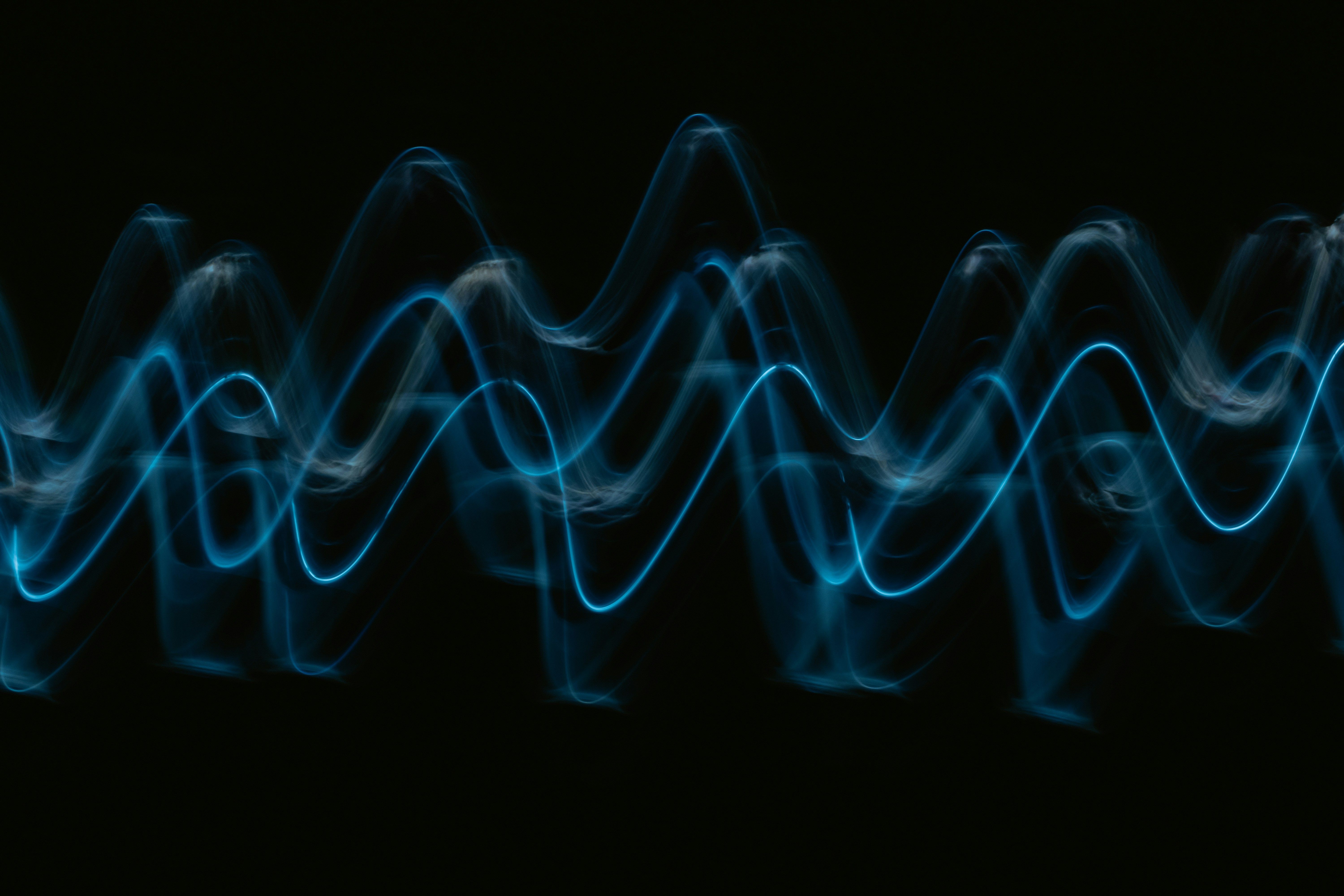
You can think of sound waves as vibrations—low frequencies are slow and wide, while high frequencies are fast and tight.

This visual helps connect the pitch you hear with the literal shape of the sound wave, which is exactly what an analyzer shows you.
As you play your audio back, keep an eye on the analyzer for a few common culprits:
- Persistent Spikes: See a sharp, skinny line that just sits there? That’s often the signature of an electrical whine or a ground loop hum.
- Elevated Noise Floor: If the whole high-end of the graph looks like a fuzzy, raised carpet, you're likely seeing preamp hiss or maybe even old-school tape noise.
Your goal here is to connect what you're hearing with what you're seeing. That visual confirmation from the analyzer gives you the exact frequency you need to target for removal. This process is absolutely key for clean mixes, but it's also a reminder of how important a good recording environment is from the start. For more on that, check out our guide on acoustic treatment for home studios.
Proven Techniques for Removing High Pitch Noise
Once you've zeroed in on the problem frequency, it's time to get it out of there. The real art here is surgical precision—you want to remove the noise without carving out the soul of your original audio. Thankfully, we have some fantastic tools at our disposal to get a clean, professional sound.
You've basically got three go-to solutions: a parametric equalizer (EQ), a specialized de-noiser plugin, or a spectral repair tool. Each one is built for a different kind of fight, whether you're battling a constant electrical whine or zapping a random digital pop. Knowing which tool to grab is what separates a quick fix from a frustrating afternoon.
Using a Parametric EQ as a Notch Filter
Let's start with the most common enemy: a constant, tonal high pitch noise. Think of that old 15 kHz whine from a CRT monitor or a steady hum from a sketchy power supply. For this, your best friend is a parametric EQ. We’re going to use it like a sonic scalpel to create what's called a "notch filter."
It's a straightforward but super effective trick. Here’s how you do it:
- Boost and Sweep: First, set up a very narrow band in your EQ by cranking up the "Q" factor. Boost the gain way up, then slowly sweep it across the high-frequency range.
- Find the Frequency: Listen closely. When you hit the right spot, the nasty noise will suddenly scream out at you, way louder than before. That’s your target.
- Cut the Noise: Now that you've found it, do the opposite. Slam the gain down on that frequency. You might need to cut it by -12 dB or even more to make it vanish completely.
This technique is a lifesaver for those static, single-frequency annoyances. Because the cut is so incredibly narrow, it barely touches the surrounding audio, keeping your original recording clear and intact.
A notch filter is the audio equivalent of picking a single stray eggshell out of your cake batter. You're not throwing away the mix; you're just meticulously removing the one tiny thing that doesn't belong.
Applying Intelligent De-Noiser Plugins
But what if the noise isn't a clean, single tone? Sometimes you’re dealing with a broader hiss, like the self-noise from a camera preamp or a cranky guitar amp. A narrow notch filter won't do much good here. This is where you bring in the heavy machinery: dedicated de-noiser plugins.
These smart tools work by first learning what the noise sounds like. You just need to find a small, isolated section of your recording that only has the hiss in it. The plugin then analyzes this "noise profile" and intelligently subtracts that sound from your entire audio track.
The best modern de-noisers use some seriously sophisticated algorithms to tell the difference between the noise you hate and the signal you want to keep. If you want to go deeper, you can remove noise with a plugin and see just how powerful they can be.
When to Use Spectral Repair Tools
Finally, we have the really tricky stuff—those random, unpredictable sounds like clicks, pops, or short digital glitches. An EQ is too broad, and a standard de-noiser won't work because the noise isn't constant. This is where spectral repair software is king.
These tools let you see your audio on a spectrogram, almost like a heat map of sound. You can actually spot the unwanted noise as a little visual blip and literally paint it out, just like using the healing brush in Photoshop. It gives you the ultimate control for cleaning up those isolated, one-off problems and making your audio absolutely pristine.
Creative Sound Design with High Frequencies
So far, we’ve been treating high-pitched noise like the villain of the story—something to be tracked down and stamped out. But what if we flipped the script? In the world of sound design, those same piercing, delicate, or intense upper frequencies aren't a problem to be fixed. They're a powerful creative tool.

Instead of just fighting noise, imagine generating the exact high-frequency texture you need, right when you need it. This is where modern tools like AI sound generators really change the game. Suddenly, you can dream up everything from the subtle chime of a futuristic user interface to the terrifying shriek of an alien without ever setting up a microphone.
Crafting Sounds with Text Prompts
Think of an AI sound generator like SFX Engine as a sonic sketch artist you can talk to. You just describe the sound you're hearing in your head, and the AI builds it from the ground up. The real trick, especially for high frequencies, is to be specific.
Here are a few prompts that show what I mean, each designed to nail a particular high-pitched effect:
- For Sci-Fi: "Intense energy weapon charging up, a high-frequency whine building to a sharp peak around 12kHz, with electrical crackles."
- For Fantasy: "Delicate magical chime, a crystalline bell tone at 10kHz, with a soft, shimmering reverb tail and no low frequencies."
- For UI/UX: "A short, clean notification sound, a subtle digital beep at 8kHz, with a quick decay, friendly and non-intrusive."
By dropping specific frequency numbers (10kHz, 12kHz) right into your prompts, you’re giving the AI a clear target. It focuses the generation process on the exact sonic territory you want to own, giving you a level of control that feels almost like cheating.
This approach opens up a nearly limitless palette for crafting unique effects for games, films, or music production.
Why Generate High Frequencies?
This isn't just about making things easier; it's also about safety and quality. Let's be honest, some high-pitched sounds in the real world are deafeningly loud and can be genuinely dangerous to record. Generating them digitally completely sidesteps that risk. For anyone serious about achieving pristine audio, understanding the role of an audio engineer and their focus on sound management is key.
There’s also a deep psychological reason these sounds grab our attention so forcefully. It's the same reason they can be so disruptive. Chronic noise, particularly the piercing kind, can wreak havoc on sleep and concentration. In fact, research shows that millions of people suffer from sleep disturbance and cognitive issues caused by environmental noises like alarms or turbines. You can learn more about the health implications in this Harvard Medicine article.
By learning to create and control high-pitch noise, you can tap into this built-in human sensitivity. You can use it to your advantage, expertly directing a listener’s attention and triggering very specific emotions with surgical precision.
Bringing It All Together: Mastering the High End
We’ve covered a lot of ground, from the pesky hums that can ruin a perfect take to the intentional, powerful high-frequency sounds that bring a design to life. If there's one thing to take away from all this, it's control.
The journey starts with sight. By learning to read a spectrogram, you're no longer just guessing; you can pinpoint the exact frequencies causing trouble. From there, you can pull out your sonic scalpels—tools like EQs and de-noisers—to perform surgical fixes.
And it doesn't stop with just cleaning things up. We've seen how you can flip the script and generate high-pitch sounds from scratch using AI tools like SFX Engine. This complete workflow, from identification to mitigation to creation, means you're ready for any high-frequency challenge. For those chasing absolute clarity, top-tier gear like the Hifi Duet High Fidelity Pickup Microphone Mixing System can also make a world of difference in capturing a pristine signal from the start.
You can now walk into any audio situation with confidence, knowing you have the skills to either clean up a messy recording or build a rich, complex soundscape from the ground up.
This isn't just about fixing problems anymore. This knowledge turns noise from an enemy into an ally. What was once a technical headache becomes a creative opportunity, letting you design sounds that truly grab a listener's attention.
Now, it’s your turn. Start putting these ideas into practice. Pull up a spectrogram on your next project, try a notch filter, and experiment. Listen closely—the difference won't just be subtle. You'll hear it, and so will everyone else.
Got Questions About High-Pitched Noise?
When you're deep in an audio project, nothing is more frustrating than a persistent high-pitched noise. It can show up in your recordings, your mix, or even your gear itself. So, let's tackle some of the most common questions that pop up.
Think of this as a quick-reference guide. We’ll get straight to the point, covering everything from the usual suspects behind that annoying whine in your studio to the best ways to mix high-frequency sounds without making your listeners wince.
What Are the Most Common Causes of High-Pitched Noise in a Studio?
That unwanted high-frequency buzz usually comes from a handful of repeat offenders. Once you know what to look for, finding the source gets a lot easier.
Here’s your checklist of the prime suspects:
- Ground Loops: This is a classic. It happens when your gear is plugged into different power outlets, creating a small electrical loop that often introduces a nasty hum or whine.
- Poorly Shielded Cables: Those cheap audio or USB cables you have lying around? They can act like tiny antennas, picking up electronic interference from everything around them. That interference often shows up as a high-pitched squeal.
- Power Supplies: The "wall wart" power adapters that come with pedals and interfaces are notorious for this. A low-quality or dying power supply can inject a ton of high-frequency noise right into your audio signal.
- Noisy Gear Internals: Sometimes, the call is coming from inside the house. The noise might be generated by the electronics of the gear itself, like a cranky preamp or a vintage synth that’s showing its age.
How Can I Mix High-Pitched Sounds Without Hurting the Listener's Ears?
Working with high-frequency sounds is all about finesse. You want to add that sparkle and clarity, not cause ear fatigue. It’s a balancing act that requires a careful touch.
A great starting point is to use a high-pass filter on sounds like cymbals or bright synths. This carves out any low-end mud they don’t need, which immediately cleans up the mix. Also, don't be afraid to use a de-esser on more than just vocals—it can be a lifesaver for taming piercing frequencies on harsh hi-hats or aggressive synth patches.
Here's a pro tip: a little goes a long way. Instead of leaving a bright element at full volume, use automation. Dip it down when other instruments are front and center, then bring it forward when it needs to shine. This creates a much more dynamic and pleasant listening experience.
Why Do I Hear High-Frequency Noise Only When I Stop Playing?
Ah, the classic "it's only there when I'm not playing" problem. This almost always points to a noise gate that isn't set quite right. The hiss or hum is probably there all the time, but the sound of your instrument is loud enough to cover it up.
The moment you stop, the signal level drops, and you can hear that noise floor for a split second before the gate slams shut. The best fix is to find and eliminate the noise source first. If you can't, try adjusting your gate’s threshold and release settings to make it close faster and more smoothly.
Ready to stop fighting high-frequency noise and start creating with it? With SFX Engine, you can generate any high-pitched sound effect imaginable with a simple text prompt. From delicate chimes to piercing sci-fi alarms, craft limitless royalty-free sounds for your projects. Try SFX Engine for free and hear the difference.