Creating Sound Effects for Phones a Practical Guide
Discover how to create unique sound effects for phones. This guide covers AI sound generation, technical specs, and platform-specific optimization tips.
Kuba RogutPublished Updated 20 min read
Custom sound effects for phones are more than just beeps and chimes; they're a core part of creating an experience that feels personal and polished. Moving away from generic, built-in alerts allows you to build a distinct audio identity that users will actually remember. These sounds, whether it's a subtle tap in your UI or a signature notification tone, shape how people feel when they use their device or your app.
Why Bother with Custom Phone Sound Effects?
Let's be honest, you can probably recall the sounds from your favorite apps right now. That satisfying swoosh when you send a message or that specific little jingle for a calendar reminder? Those aren't accidents. They are meticulously designed audio cues that make the app feel more intuitive and reinforce its brand.
In a marketplace flooded with apps, relying on a stock sound library is a surefire way to make your project feel forgettable. Custom audio, on the other hand, lets you fine-tune the user's emotional response. A soft, warm chime for a completed task can make someone feel good about using your app, while a crisp, clear alert can signal urgency without being obnoxious. It’s this attention to detail that elevates a user experience from just "good" to truly great.
Forging a Unique Audio Identity
Think of your app's soundscape as an extension of its brand—just as important as the logo or color palette. A consistent set of sounds makes the entire experience feel more professional and cohesive. When users hear a particular sound, they should instantly connect it with your brand and understand what's happening on screen.
A strong audio identity does a few key things:
- Echoes Your Brand's Personality: Is your brand playful, serious, or minimalist? The sounds you choose should reflect that.
- Makes Navigation Easier: Audio feedback is a great way to confirm an action, like a button press or a successful purchase. It makes the interface feel alive and responsive.
- Keeps Users Hooked: The right sounds can turn mundane tasks into small, rewarding moments, encouraging people to stick around.
The industry is taking notice, too. The global sound effects software market, valued at USD 2.82 billion in 2025, is expected to jump to USD 5.22 billion by 2033. This growth shows just how vital unique audio has become. If you're curious, you can find more details on this trend in the sound effects software market report from Global Growth Insights.
A New Era of AI-Powered Sound Creation
Not long ago, creating custom sound effects meant you either needed serious audio engineering skills or had to pay steep licensing fees. That's all changed. AI-powered tools like SFX Engine have completely opened up the process, making it possible for anyone to generate high-quality, royalty-free audio from a simple text description.
This is a huge shift. We’re moving beyond just finding a sound that works and into an era where you can create the perfect sound for any situation. It empowers creators to build a truly unique sonic world for their users without the traditional barriers.
This guide is all about the practical side of things. We’ll walk through how to use AI to generate, tweak, and export custom sound effects for any mobile device. We'll cover everything from writing prompts that get great results to mastering the technical specs for crisp, clean playback on both Android and iOS.
Bringing Your Sounds to Life with AI Prompts
This is where the magic happens—turning your creative vision into actual audio. The real power behind any AI sound generator is how well you can guide it with descriptive language. Anyone can type "button click," but the key to creating unique sound effects for phones that fit your app's personality is moving way beyond the basics.
Think of it like being a director. Your prompts are the instructions you give the AI. The more detailed and evocative your direction, the better the final performance. You start with a core idea and then layer on details about texture, emotion, and movement until you have something that feels just right.
This is all done right inside the SFX Engine, where you type in your ideas and let the AI do the heavy lifting.
The goal is to keep things simple so you can focus on what matters: crafting the perfect description to get the exact sound you’re after.
What Makes a Powerful Prompt?
A great prompt isn't just a single word; it's a mix of different elements that paint a complete audio picture for the AI. Let's break down the building blocks I always use to get the best results.
1. Start with the Core Sound This is your foundation. What is the sound, fundamentally? A "chime," a "swoosh," a "tap," or an "alert." This gives the AI a clear starting point.
2. Add Texture and Material Next, give it some character. What's it made of? How does it feel? This is where things get interesting.
- Glassy: Clean, fragile, and usually higher-pitched.
- Wooden: Warm, organic, and natural-sounding.
- Metallic: Sharp, solid, maybe even a little industrial.
- Gritty: Adds a rough, textured, slightly distorted feel.
- Soft: Muted, gentle, and much less in-your-face.
3. Describe the Action and Motion How does the sound behave over time? Is it abrupt or smooth?
- Quick Pop: Super short, with a fast, sharp beginning.
- Smooth Whoosh: A sound that glides in and out without any harsh edges.
- Sharp Click: A really clean, precise sound with a defined start and finish.
- Rippling Cascade: Think of a series of small sounds tumbling one after another.
4. Set the Mood Finally, what emotion are you trying to evoke? This layer gives the sound context.
- Playful: Light, bouncy, and maybe a little melodic.
- Urgent: Sharp, fast, designed to grab attention now.
- Calm: Gentle, smooth, and low intensity. Perfect for non-critical feedback.
- Rewarding: A positive, often rising tone that feels like a small victory.
When you start combining these elements, you can generate incredibly specific sounds. If you want to dive even deeper into this, our guide on how to create sounds with AI is packed with more examples.
From Good Idea to Great Prompt
Let's put this into practice for some common mobile sounds. Instead of just asking for something generic, we can build detailed prompts that give us much better, more distinct results.
A prompt like "notification sound" is just too vague. You’ll probably get a generic beep that sounds like a thousand other apps.
Pro Tip: Specificity is your best friend here. The more detail you feed the AI, the less you have to rely on luck. It’s the difference between telling an artist "paint a flower" and "paint a single red rose with morning dew on its petals."
Here’s how we can level up that basic prompt for a few different scenarios.
| Use Case | The Simple (and Vague) Prompt | The Layered, Effective Prompt |
|---|---|---|
| New Message Alert | New Message | A short, glassy notification chime with a quick, soft echo. Playful and friendly. |
| Task Completed | Success Sound | A rewarding, ascending harp glissando with a subtle, shimmering sparkle. Magical and positive. |
| Button Tap | UI Click | A subtle, low-profile wooden tap. A single, muted, solid sound for a button press. |
| Error Warning | Error Sound | A short, dissonant digital blip with a slight gritty texture. A gentle but clear warning. |
See the difference? The layered prompts guide the AI on material (glassy, wooden), action (quick echo, ascending glissando), and mood (playful, rewarding). This is how you go from a stock library sound to a custom piece of audio that feels completely integrated into your app's experience. Don't be afraid to experiment—mixing and matching these descriptors is all part of the fun.
Getting Your Mobile Audio Specs Just Right
Creating a killer sound with AI is one thing, but getting it to play perfectly on a phone is another game entirely. Even the most amazing audio can sound weak, distorted, or just plain wrong if it's not technically optimized for mobile playback. Think of this as the bridge between your creative work and the user's ear—it's the final, crucial step to make sure your sound effects for phones are crisp, efficient, and sound great on every device.
Diving into terms like sample rates, codecs, and loudness might seem a bit daunting at first. But trust me, they’re just tools to help you strike the perfect balance between audio quality and performance. Nailing these specs means your sounds will be crystal clear, load instantly, and won't kill the user's battery. That’s what a great mobile experience is all about.
First Things First: Sample Rate and Bit Depth
Let's break down the fundamentals of your audio's quality. Sample rate, measured in kilohertz (kHz), tells you how many "snapshots" of the sound are taken per second. More snapshots mean more detail, but for mobile, bigger isn't always better.
You’ll generally see two main options:
- 44.1 kHz: The classic CD-quality standard. It's a fantastic, high-fidelity choice that captures everything the human ear can hear.
- 48 kHz: The go-to for professional video and modern audio. While it offers a slight theoretical bump in quality, you’d be hard-pressed to notice the difference in a short notification sound.
From my experience, 44.1 kHz is the sweet spot for most mobile UI sounds and alerts. It delivers excellent clarity without bloating your file size. You can certainly use 48 kHz, but the extra data rarely justifies the cost on a mobile device.
Next up is bit depth, which controls the dynamic range—the space between the quietest whisper and the loudest bang in your sound. You'll usually choose between 16-bit and 24-bit. For the final exported files heading to a mobile app, 16-bit is almost always the right call. It provides plenty of dynamic range for tiny phone speakers and helps keep those file sizes down.
Choosing the Right File Format and Codec
Once your quality settings are locked in, you need to package the audio into a file. This is where codecs come in—they are the algorithms that compress your sound data. The format you choose is a direct trade-off between file size and audio fidelity.
For mobile apps, the goal is always small files that sound fantastic. Uncompressed formats like WAV are perfect for editing in your studio, but they're way too bulky for an app. Compressed formats are your best friends here.
Here are the heavy hitters for mobile sound effects:
- AAC (Advanced Audio Coding): This is the king on Apple devices. It sounds better than MP3 at similar bitrates and is natively supported on iOS, making it incredibly efficient.
- OGG Vorbis: A brilliant open-source alternative and the top choice for Android. It offers fantastic compression and is universally supported across the platform.
- MP3: Everyone knows MP3. While it’s a reliable fallback, AAC and OGG generally give you more bang for your buck in terms of quality versus file size. If you're starting with different file types, knowing how to convert files like WAV to MP3 is a really handy skill to have.
The hardware itself is a huge piece of this puzzle. The market for mobile phone speakers is a massive industry—estimated at USD 7.21 billion in 2024 and still growing. As phone speakers improve, the quality of your audio becomes even more important. You can dig into some fascinating data on the growth of the mobile speaker market to see where the technology is headed.
Taming Your Volume with LUFS
Ever been startled by a notification that's way louder than the app you were just using? That’s a classic sign of poor loudness management. To avoid being that app, we use LUFS (Loudness Units Full Scale), the modern standard for measuring perceived loudness.
Unlike old-school peak meters, LUFS measures loudness the way our ears actually hear it over time. This is the secret to creating a consistent and comfortable listening experience.
My Two Cents: Normalizing all your app's sounds to a consistent LUFS target is non-negotiable for a professional-feeling app. It eliminates jarring volume spikes and makes your entire audio experience feel polished and intentional.
For most mobile sound effects, you'll want to aim for a target between -16 and -23 LUFS.
- UI Sounds (-23 to -20 LUFS): Think subtle clicks, taps, and swipes. They should provide gentle feedback without being intrusive.
- Notifications (-18 to -16 LUFS): These need to grab the user's attention, so they should be more prominent but never shockingly loud.
This quick-reference table should help you dial in the right settings for different scenarios.
Recommended Audio Specs for Mobile Sound Effects
Here's a handy guide to help you choose the best audio settings for common mobile use cases, balancing top-notch quality with smooth performance.
| Use Case | Recommended Format | Sample Rate | Bit Depth | Target Loudness (LUFS) |
|---|---|---|---|---|
| UI Clicks & Taps | AAC (iOS), OGG (Android) | 44.1 kHz | 16-bit | -23 to -20 LUFS |
| Notification Tones | AAC (iOS), OGG (Android) | 44.1 kHz | 16-bit | -18 to -16 LUFS |
| Ringtones | M4R (iOS), OGG/MP3 (Android) | 44.1 kHz | 16-bit | -16 to -14 LUFS |
| In-Game SFX | OGG or AAC | 44.1 kHz | 16-bit | -20 to -16 LUFS |
| Short Voice Alerts | OGG or AAC | 44.1 kHz | 16-bit | -18 to -16 LUFS |
By standardizing your audio levels and choosing the right technical specs, you create a cohesive soundscape where every element belongs. This is the kind of thoughtful detail that separates a good app from a truly great one.
Getting Your Sounds Ready for Android and iOS
So, you’ve used SFX Engine to craft the perfect sound. That’s a huge step, but the job isn't quite done. Now comes the nitty-gritty part: optimizing that audio so it plays flawlessly on every device, whether it’s an iPhone or the newest Android. This is all about shrinking the file size without anyone noticing a drop in quality—an absolute must for snappy mobile apps and a great user experience.
Different operating systems have their own quirks and preferences. Nailing the technical details for each platform isn't just about ticking boxes; it's about making sure your audio sounds exactly how you designed it to.
This whole process can be boiled down to a few key decisions. Think of it as a path from initial quality to the final format and loudness.
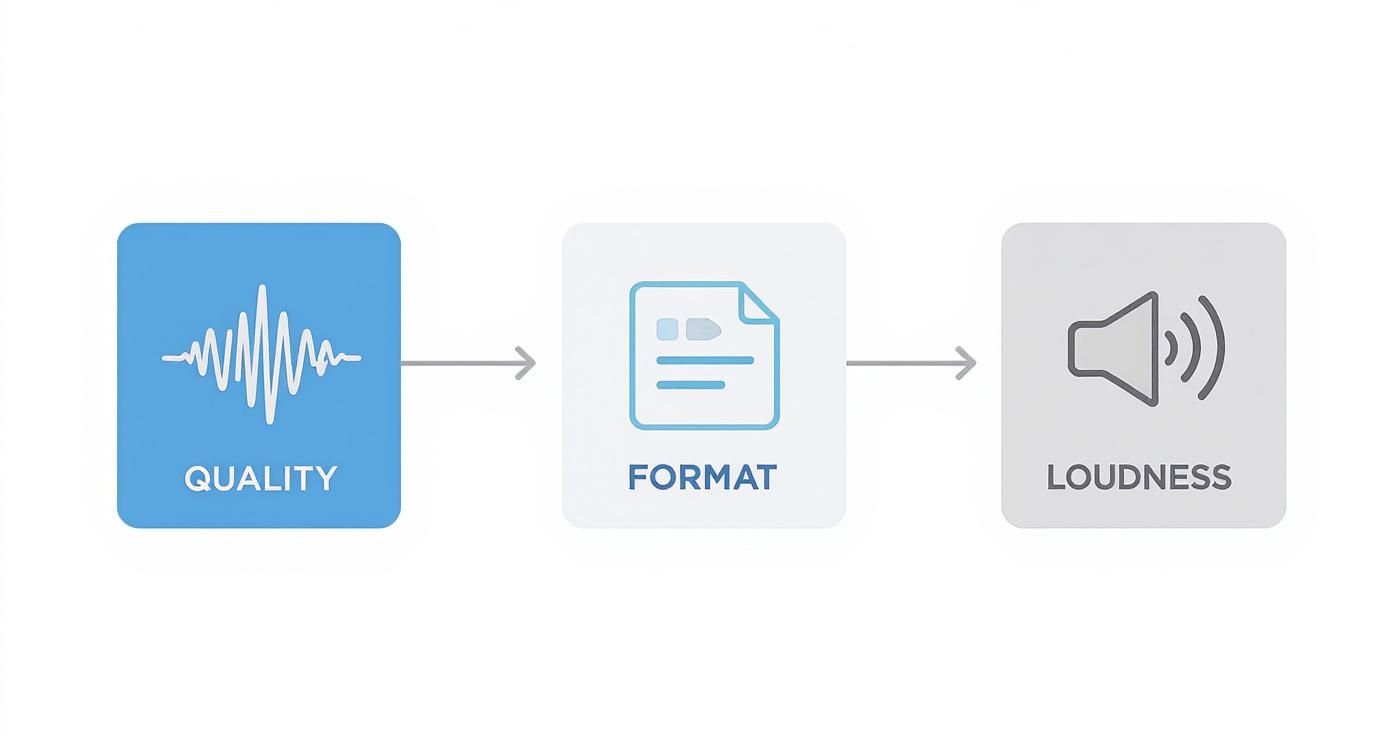
As you can see, every choice you make—from sample rate to file format—directly shapes the final sound and its performance on a phone.
Choosing the Best File Formats
When you hit that "export" button, the file format you choose has the single biggest impact on compatibility and efficiency. You can't just pick one and hope it works everywhere. Each platform has its favorites for very good reasons.
For iOS development, Apple has its ecosystem dialed in. Here’s what you need to know:
- .caf (Core Audio Format): This is a flexible container that’s great for uncompressed audio. I use this for critical UI sounds that need to fire instantly with zero latency. The trade-off is larger file sizes.
- .m4a (using the AAC codec): This is your workhorse for high-quality compressed audio on iOS. It strikes a fantastic balance between sound fidelity and small file size, making it perfect for most notification tones and background audio.
Android is a different beast. It’s open-source, and its go-to format is clear:
- .ogg (using the Vorbis codec): This is the undisputed champion on Android. Ogg Vorbis delivers incredible quality at surprisingly low bitrates. That means you get tiny files that still sound crisp and clean—it’s natively supported and highly efficient.
When you're working on an Android project, it pays to understand the platform's unique environment. Looking into the key factors to consider when developing an Android app can give you a better sense of how your audio fits into the bigger picture.
Creating Perfectly Seamless Loops
For a ringtone or ambient background track, a seamless loop is non-negotiable. Nothing breaks the spell faster than an audible click or pop where the audio repeats. The trick is to make sure the end of the waveform flows perfectly back into the beginning.
Most audio editors have a "crossfade" function that can be a lifesaver here. Just apply a very short crossfade right at the loop point, and it will magically blend the end into the beginning. This technique is brilliant for making ambient sounds like rain or a soft hum feel completely continuous.
A seamless loop is a sign of true craftsmanship. It’s a small detail that users may not consciously notice, but it contributes massively to a polished and professional feel. It’s the difference between an immersive background sound and a distracting, repetitive noise.
The demand for tools that give us this level of control is skyrocketing. The smartphone music production software market was valued at USD 92.6 million in 2024 and is projected to hit USD 191.0 million by 2032. This just goes to show how much professional-grade audio matters on mobile these days.
Your Repeatable Export Workflow
Having a set process saves a ton of time and keeps your work consistent. You don't want to be second-guessing technical specs every time you export a new sound.
Here’s a simple checklist I follow for every project:
- Finalize the Sound: First, I trim any dead air from the beginning and end of the clip.
- Normalize Loudness: Next, I apply my target LUFS level (like -18 LUFS for notifications) to keep the volume consistent across all sounds.
- Set Sample Rate & Bit Depth: I always export at 44.1 kHz and 16-bit. This is the sweet spot for mobile, balancing quality and performance perfectly.
- Export Platform-Specific Files: Finally, I create two versions of each sound—an .m4a (AAC) for iOS and an .ogg (Vorbis) for Android.
By making this your routine, you’ll build a library of production-ready sound effects for phones that are already optimized for both major platforms. This attention to technical detail ensures your creative work shines through without any playback hitches. If you want to dig deeper into specific use cases, our guide to creating effective notification sound effects has a ton of extra tips.
Putting Your Sounds into Practice
You've done the hard work—generating, tweaking, and optimizing your audio. Now for the fun part: bringing those sounds to life inside your app. This final stretch is more than just dragging files into a project folder. It's about understanding the rules of the road, getting the technical details right, and making sure your sounds actually improve the user's experience.
This is where your creative work truly connects with the user, turning a collection of audio files into a cohesive and enjoyable part of your app.
First Things First: Licensing and Usage Rights
Before a single sound goes into your app, you absolutely need to be clear on your right to use it. This is crucial, especially with AI-generated audio. The good news is that most platforms like SFX Engine provide sounds under a royalty-free license, which makes life a lot easier.
So, what does that actually mean for you?
- Pay Once, Use Forever: Typically, you get the rights to use the sound in your projects without having to pay ongoing fees for every time it's played.
- Commercial Use is Included: This license lets you use the sound effects for phones in commercial apps and games, even if they're monetized.
- No Attribution Usually Required: In most cases, you won't need to credit the AI sound generator in your app's "About" screen, but it’s always a good habit to double-check the terms of service.
Always take a moment to scan the licensing agreement for any tool you use. While SFX Engine offers a broad commercial, royalty-free license, the specifics can vary from one service to another. It’s a five-minute check that can save you from a world of legal headaches.
Getting this sorted out provides peace of mind, letting you focus on the creative implementation without any lingering legal worries.
The Technical Side: Hooking Up the Sounds
With the legal stuff out of the way, it's time to hand things over to a developer. While the exact code will differ based on the app's framework (like iOS vs. Android), the core idea is the same everywhere: you trigger a sound file to play when a user does something or a system event happens.
Here’s a conceptual peek at how this works on both major platforms.
For iOS Apps (Swift)
An iOS developer would likely reach for the AVFoundation framework. A common practice is to load a sound file, like tap-feedback.m4a, into an audio player instance when the app launches. From there, whenever a button is tapped, they just call a simple play function on that instance.
// Conceptual Swift code for playing a UI sound
import AVFoundation

var uiClickPlayer: AVAudioPlayer?

func playUIClick() {
    guard let path = Bundle.main.path(forResource: "ui-click.m4a", ofType:nil) else {
        return
    }
    let url = URL(fileURLWithPath: path)

    do {
        uiClickPlayer = try AVAudioPlayer(contentsOf: url)
        uiClickPlayer?.play()
    } catch {
        // Couldn't load file
    }
}

// This would then be called inside a button's action.
For Android Apps (Kotlin)
On the Android side of the fence, the go-to tool is often SoundPool. It’s built specifically for playing short, low-latency audio clips, making it perfect for UI feedback. A developer will load all the necessary UI sounds into the SoundPool at the start, and then simply call the play() method with a sound's ID when an event happens.
This pre-loading approach is a small but critical performance trick that ensures common sounds like button taps feel snappy and instantaneous.
Designing a Great Audio Experience
Finally, remember that the best audio design is often the one that doesn't annoy people. If users are bombarded with constant, repetitive noises, they'll experience audio fatigue. That's when they get so tired of the sounds they just turn them off—or worse, delete the app.
Here are a few battle-tested tips to keep your sound design helpful and not hurtful:
- Always Provide an Off Switch: This is non-negotiable. Give users a clear, easy-to-find option in the settings to mute all in-app sounds. Respecting their preferences is key.
- Introduce Some Variation: For actions that happen all the time (like a "correct answer" chime), create a small handful of similar-sounding effects. Randomly playing one of three or four slightly different chimes feels far more natural and less grating than hearing the exact same one over and over.
- Match the Sound to the Action: Reserve your louder, more attention-grabbing sounds for important notifications. Simple UI feedback should be subtle and almost unnoticeable. The volume and intensity of a sound should always match the importance of the event it's signaling.
By marrying a solid legal foundation with smart technical work and thoughtful UX, your custom sound effects for phones will become an essential part of the mobile experience you're building.
Common Questions About Phone Sound Effects
When you're designing sound effects for phones, you start to see the same questions pop up again and again. It doesn't matter if you're a seasoned developer or a creator just dipping your toes in—getting mobile audio just right can be a bit of a maze. Let's clear up some of the most common questions I hear.
Nailing these details is what really separates a good audio experience from a great one. It’s about making sure your sounds are not just creative, but also technically solid and enjoyable for the end-user.
What Is the Best File Format for Phone Sound Effects?
Honestly, the "best" format really comes down to which operating system you're building for. There’s no single silver bullet that works perfectly for both Android and iOS. Each platform has its own preferences for getting the best performance.
For Android, Ogg Vorbis (.ogg) is the clear winner. It hits that sweet spot between high-quality audio and fantastic compression, giving you crisp sounds without bloating your app's size. That's a huge deal for keeping things lightweight and snappy.
Over on the iOS side of things, you have a couple of excellent choices:
- AAC (in an .m4a container): This is the gold standard for high-quality compressed audio on Apple devices. It’s incredibly efficient and sounds fantastic on their hardware.
- Core Audio Format (.caf): I tend to reach for this flexible container format when I need uncompressed audio for ultra-low latency. Think of critical UI feedback, like a button tap, where any delay feels wrong.
Stick to these native formats, and you’ll avoid compatibility headaches and ensure your sounds play back exactly as you intended.
How Do I Make My Notification Sounds Stand Out Without Being Annoying?
Ah, the classic balancing act of mobile sound design. The real secret is to create a unique melodic or rhythmic signature that’s both pleasant and instantly recognizable. Your sound needs to cut through ambient noise but not be so sharp that it makes someone jump.
A great notification sound informs without interrupting. It should feel like a gentle tap on the shoulder, not a blaring alarm. Aim for a duration of just 1-3 seconds—long enough to register, but short enough to disappear.
On the technical side, I always aim for a target loudness around -16 to -18 LUFS. This keeps the sound audible in most environments without being startlingly loud. It’s also smart to steer clear of harsh high frequencies or deep, rumbly lows, which can sound pretty terrible on tiny phone speakers.
Do I Need to Worry About Copyright with AI-Generated Sounds?
This is a big one, and the short answer is: it depends on the AI service you’re using. Any reputable AI generator will grant you a royalty-free license for the sound effects you create. This means you’re free to use them in your commercial projects without having to worry about ongoing fees.
But—and this is important—you absolutely must read the terms of service for whatever tool you choose. Some platforms might have restrictions, like preventing you from reselling the raw sound files in a sound pack. Always double-check the licensing agreement before you go live to make sure you're in the clear.
What Are Common Mistakes to Avoid in Mobile UI Sound Design?
I see a few common mistakes that can really torpedo an otherwise great user experience. One of the biggest offenders is using sounds that are too long for quick actions. A button click sound, for example, should be practically instantaneous—well under 200 milliseconds. Anything longer just feels sluggish.
Another frequent problem is inconsistency in volume and style. When sounds are all over the place, it makes the whole app feel disjointed. Also, not giving users a way to turn off sounds is a huge misstep. Finally, be really careful with abrasive or high-pitched frequencies; they can cause serious audio fatigue over time. Every sound should serve a purpose and offer subtle, helpful feedback.
Ready to create custom, royalty-free audio for your next project? With SFX Engine, you can generate the perfect sound effects for phones using simple text prompts. Get started for free and discover an infinite library of high-quality sounds. Explore what you can create at https://sfxengine.com.