December 1, 2025 · Kuba Rogut
When it comes to professional video production, the conversation almost always boils down to three heavy hitters. You've got Adobe Premiere Pro, the industry standard known for playing nice with other creative tools. Then there’s DaVinci Resolve, which started as a high-end color grading tool and evolved into a full-blown post-production powerhouse. And for anyone on Apple hardware, Final Cut Pro offers speed that’s simply hard to beat.
Trying to pick the "best" video editing software can feel overwhelming. The truth is, there's no single right answer. The perfect tool for you is the one that fits your projects, your budget, and how you like to work. This guide is here to help you see past the marketing hype and compare these three titans based on what really matters in a day-to-day workflow.
The video editing software market is booming, with projections showing it will reach nearly 50 million paid users by 2025. It’s no surprise that Adobe Premiere Pro holds the biggest slice of the pie with a 35% market share. But Apple's Final Cut Pro isn't far behind at 25%, and Blackmagic's DaVinci Resolve has carved out a solid 15%, winning over filmmakers and colorists everywhere. You can dig deeper into these numbers over at ElectroIQ's video editing statistics page.
Before we get into the nitty-gritty details, this table gives you a quick snapshot of what each platform brings to the table. Think of it as a cheat sheet to see which one might be your best match.
| Software | Best For | Pricing Model | Key Advantage |
|---|---|---|---|
| Adobe Premiere Pro | Professionals needing deep integration with tools like After Effects and Audition, plus cross-platform flexibility. | Subscription (Monthly/Annual) | Its seamless connection to the Adobe Creative Cloud suite makes it the go-to for most collaborative and professional workflows. |
| DaVinci Resolve | Filmmakers and colorists who want an all-in-one solution with an incredibly powerful free version. | Freemium (Free version + one-time Studio purchase) | Hollywood-level color grading, audio post (Fairlight), and VFX (Fusion) are all built right into a single application. |
| Apple Final Cut Pro | Mac users—especially content creators and editors—who need maximum speed and a buttery-smooth workflow. | One-time Purchase | Blazing-fast performance and render speeds on Apple Silicon hardware, thanks to tight integration between software and hardware. |
Each of these tools has a clear philosophy. Once you understand their core strengths, you can start to see which one aligns with your own creative process.
The right software choice streamlines your entire creative process. Premiere Pro excels in team environments, Resolve is a post-production powerhouse for solo creators, and Final Cut Pro offers unparalleled speed for those in the Apple ecosystem.
Ultimately, your choice of editor is just one piece of the puzzle. If your work involves live events, a good webinar platform comparison is just as crucial. No matter which software you land on, following video production best practices is what will truly elevate the quality of your final product.
The video production world never sits still. It's constantly being reshaped by new tech and what audiences have come to expect. Modern video editing software isn't just about slicing clips anymore; it's the creative hub for your entire project, packed with tools that felt like science fiction not too long ago. Knowing what's happening in this space is key to choosing a platform that works for you now and won't hold you back later.
This evolution is happening fast. The entire digital media production industry, valued at $15.01 billion in 2025, is expected to jump to $23.35 billion by 2029. That growth is fueled by a massive appetite for high-quality video in every industry imaginable. For a deeper dive, you can check out more stats on the audio and video editing software market growth.
Artificial intelligence is probably the biggest game-changer we've seen in editing for a while. AI-powered features aren't just cool add-ons; they're becoming essential for getting work done efficiently. They take the grunt work off your plate, so you can spend more time on what actually matters—telling a good story.
You'll find these kinds of automated tools baked into most professional software now:
The real point of AI in video editing isn't to replace editors. It’s to give them superpowers by automating the tedious, mechanical parts of the job so they can focus on the creative.
Gone are the days of shipping hard drives back and forth. Modern post-production is all about cloud-based workflows, letting teams work together in real-time no matter where they are. This shift was kicked into high gear by the rise of remote work and the need to turn projects around faster.
Software developers have responded by building collaboration right into their platforms. We're talking shared project files, cloud media storage, and tools for leaving timestamped notes directly on the timeline. For any kind of team, how well a platform handles collaboration is just as critical as its core editing tools.
Finally, the software itself is being shaped by the kinds of videos people are making. On one hand, you have the push for ultra-high resolutions like 8K and brilliant HDR color, which demands software that can handle gigantic files without grinding to a halt.
On the other hand, the explosion of vertical, short-form video for platforms like TikTok and YouTube Shorts means editors need quick, painless ways to create and export content in a dozen different aspect ratios. A truly great video editor today has to be flexible enough to handle a feature-length film one day and a 15-second viral clip the next.
To really compare video production software, you have to look past the marketing blurbs and feature lists. The true differences between Adobe Premiere Pro, DaVinci Resolve, and Apple Final Cut Pro are baked into their design philosophies, how their timelines work, and the way they handle heavy lifting. Figuring out these practical distinctions is how you choose a tool that not only has what you need but actually fits your specific workflow.
We're going to break down how each platform's approach to editing, color, and performance plays out in a real-world post-production environment. This will give you a much clearer picture of what it's like to actually work in them.
The timeline is the editor's workbench, and this is where the biggest philosophical divide exists: traditional tracks versus Apple’s magnetic timeline.
Premiere Pro and DaVinci Resolve both use a familiar track-based system. You place clips on specific video and audio tracks (V1, V2, A1, A2, etc.), and they stay right where you put them. This method gives you incredibly precise, granular control, which is a must-have for complex edits with tons of video layers, graphics, and audio that all need to sync up perfectly.
On the other hand, Final Cut Pro uses its famous (and sometimes infamous) magnetic timeline. Instead of rigid tracks, clips connect to a "primary storyline" and automatically shuffle around to prevent gaps or overlaps. For new editors, this can feel incredibly intuitive and stops common mistakes like leaving a stray black frame. If you're just starting out, you can explore what might suit you best in our guide to the best video editing software for beginners.
The Magnetic Timeline: Love it or hate it, Final Cut Pro's magnetic timeline is its defining feature. It excels at speed for straightforward edits like vlogs or documentaries but can present a steep learning curve for editors accustomed to the absolute control of traditional tracks.
This core difference shapes two very distinct editing experiences:
Color grading is where you can really see the DNA of these platforms. DaVinci Resolve started its life as a dedicated color suite, and its toolset is still the undisputed industry standard.
Resolve’s "Color" page is a powerhouse, offering a node-based workflow that gives you near-infinite control over every pixel. This system allows for incredibly complex parallel and serial adjustments that are tough to replicate anywhere else. It’s packed with advanced tools like PowerWindows, 3D tracking, and an AI-powered Magic Mask—all included in the completely free version.
Premiere Pro’s Lumetri Color panel is no slouch. It's powerful, convenient, and built right into the main editing workspace. It’s more than enough for most professional jobs, handling everything from basic corrections and creative LUTs to HSL secondary controls. However, it uses a layer-based system, which just isn't as flexible as Resolve’s nodes for really deep, intricate grading.
Final Cut Pro's built-in color tools, like its color wheels and curves, are solid and highly optimized. They're fantastic for getting a quick, professional-looking grade, but they don't offer the same depth or specialized features you'll find in Resolve. Many dedicated FCP editors end up using third-party plugins like Color Finale to push their color work further.
How smoothly an editor runs is all about how well it uses your computer’s hardware. This is a massive factor, because dropped frames and marathon render times can completely derail a project.
Adobe Premiere Pro is a cross-platform workhorse, but its performance can be a bit of a mixed bag. It leans on both the CPU and GPU, using its Mercury Playback Engine to speed up effects and playback. Still, it's known for being resource-hungry and often demands a high-end machine to edit 4K footage without a headache.
DaVinci Resolve is famously GPU-intensive. Its color and Fusion effects pages rely heavily on your graphics card for real-time processing. If you have a powerful NVIDIA or AMD GPU, Resolve will fly. But if your machine has a weaker integrated GPU, it might struggle, even if your CPU is strong. On the latest Apple Silicon, however, Resolve runs incredibly well, often matching Final Cut Pro's native speed.
Apple Final Cut Pro is the undisputed performance champion on macOS. Because Apple makes both the hardware and the software, FCP is perfectly tuned for Apple Silicon (M1/M2/M3 chips). It delivers buttery-smooth playback with high-res footage, ridiculously fast rendering, and efficient background processing, even on a base-model MacBook. This tight integration is its single biggest advantage.
Looking at the technical specs and compatibility really helps highlight these differences.
Here’s a clear breakdown of the technical side of things, from operating systems to the hardware each program prefers.
| Technical Aspect | Adobe Premiere Pro | DaVinci Resolve | Apple Final Cut Pro |
|---|---|---|---|
| Operating Systems | Windows, macOS | Windows, macOS, Linux | macOS only |
| Plugin Compatibility | Extensive (VST, AU, After Effects) | Extensive (VST, OpenFX) | Good (Audio Units, FxPlug) |
| Primary Codec | Broad support via Creative Cloud | Optimized for Blackmagic RAW (BRAW) | Optimized for ProRes |
| Hardware Focus | Balanced CPU/GPU usage; benefits from strong GPUs. | Heavily GPU-dependent, especially for color and Fusion. | Optimized for Apple Silicon (macOS exclusive). |
Ultimately, choosing the right software means matching these core mechanics to your workflow, your projects, and your computer. Premiere Pro offers unmatched integration, Resolve is an all-in-one suite with world-class color tools, and Final Cut Pro delivers untouchable speed for Mac users.
When you're comparing professional video editing software, the sticker price is just the tip of the iceberg. The real cost isn't just the number on the box; it's about the total investment you'll make over time. You have to consider essential plugins, bundled features, and what happens if you get locked into one company's world. Each of the big three—Adobe Premiere Pro, DaVinci Resolve, and Final Cut Pro—comes at it from a completely different angle.
Premiere Pro runs on a subscription model through Adobe's Creative Cloud. You're essentially renting it, either monthly or annually. While that means you never truly "own" the software, the subscription packs a serious punch. It bundles in industry-standard tools like After Effects for motion graphics and Audition for serious audio work. For pros who need to jump between editing, effects, and sound mixing, this integrated package can be a massive workflow and budget win.
On the other hand, DaVinci Resolve completely disrupts that model. Its free version is astonishingly powerful and more than enough for many professional projects, complete with top-tier editing and its legendary color grading tools. If you need the heavy-hitting features like advanced noise reduction, AI-powered tools, or stereoscopic 3D, you can buy DaVinci Resolve Studio for a one-time purchase. For freelancers or smaller studios trying to keep monthly overhead low, that perpetual license is a game-changer.
The initial price is just where the math starts. The "total cost of ownership" really accounts for everything else you'll need to buy: third-party plugins, stock media, and even the hardware required to run it all smoothly. This is where the true value of each ecosystem starts to surface.
A Premiere Pro subscription, for instance, might feel like a constant drain on the bank account. But when you factor in that it includes After Effects, you're saving yourself from buying a separate, often expensive, motion graphics program. That synergy makes the Adobe suite a surprisingly cost-effective choice for creators who live at the intersection of editing and complex visual effects.
Final Cut Pro, much like Resolve, is a one-time purchase, but it’s for macOS only. The upfront cost is straightforward, but many FCP editors quickly find themselves shopping for third-party plugins to fill gaps, especially for high-end color grading or specialized audio tasks. Those add-ons can really stack up, turning a simple one-off payment into a much larger, ongoing investment.
Deciding between a subscription and a perpetual license is more than a financial choice—it's a strategic one. Subscriptions keep you on the latest version with bundled software, which is great for teams that need cutting-edge features. Perpetual licenses offer long-term savings and a sense of ownership, which appeals to individuals and studios who need predictable budgets.
Your choice of payment model also dictates your long-term freedom. A perpetual license for Resolve or Final Cut Pro means you own that version forever. No more monthly bills. The catch? Major new versions down the road might require you to pay for an upgrade.
With Adobe's subscription, you're always on the latest and greatest version, but this creates a powerful ecosystem lock-in. The moment you stop paying, you lose access to the tools. Even worse, you could be locked out of your own project files. That ongoing financial leash is a serious consideration for anyone planning a long-term budget. To get a better sense of how different pricing models are structured across the industry, looking at examples like tubentum's pricing details can offer valuable context.
The numbers show just how high the stakes are. The global video editing software market was valued at $3.09 billion in 2023 and is on track to hit $5.13 billion by 2032. With the number of paid users expected to jump from 43 million to nearly 64 million by 2030, understanding these financial models has never been more critical. The market dominance of Adobe and Apple isn't an accident; it's a direct result of pricing strategies that have shaped how we all create. You can dive deeper into these video editing market trends on Sendshort.ai.
https://www.youtube.com/embed/zA1qaQib4G0
Choosing the right video editor isn't about finding some mythical "best" software. It’s about finding the tool that feels like an extension of your own creative mind—one that gets out of your way and just lets you work.
The perfect choice is a blend of your project needs, your budget, and frankly, your personal style. So let's move past the spec sheets and talk about how these editors—Premiere Pro, DaVinci Resolve, and Final Cut Pro—fit into real-world creative workflows.
If you’re telling stories—shooting short films, documentaries, or anything where a cinematic look is non-negotiable—DaVinci Resolve is almost impossible to ignore. It began its life as a Hollywood-grade color correction tool, and that DNA is still its greatest strength.
The node-based Color page remains the industry benchmark, and getting access to that level of control for free is a massive win for any indie creator. You can genuinely produce a festival-worthy film on the free version alone.
For anyone deep in the trenches of fast-turnaround content for YouTube, Instagram, and client work, Adobe Premiere Pro is usually the most practical choice. Its power isn't just in the editor itself but in its position as the hub of the Adobe Creative Cloud.
Need to create a custom motion graphic? You can send a clip straight to After Effects with Dynamic Link, build your animation, and watch it update live in your Premiere timeline. No rendering, no exporting, no re-importing. That kind of integration is a lifesaver when you're up against a deadline.
The real power of Premiere Pro is the power of the entire Adobe suite. For creators who constantly juggle motion graphics, audio sweetening, and photo editing, the fluid connection between Premiere, After Effects, Audition, and Photoshop creates a production pipeline that’s tough to beat for pure speed.
This flowchart visualizes one of the first major forks in the road: how you want to pay.
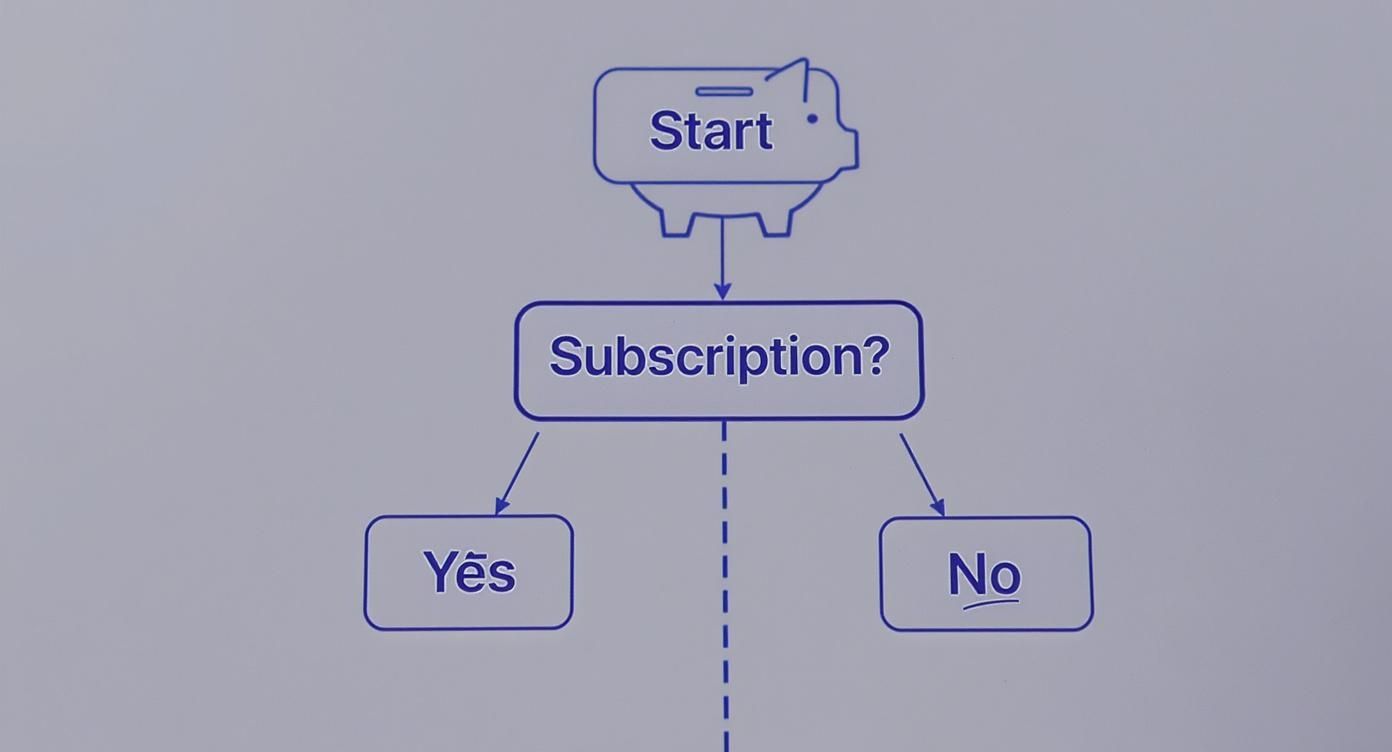
The path is clear—you're either committing to a recurring subscription or a single upfront investment. This is a fundamental decision in any video production software comparison.
If you're all-in on the Apple ecosystem and your primary need is raw speed, Final Cut Pro is in a class of its own. It's the go-to for wedding videographers, journalists, and anyone who needs to pump out high-quality edits on a tight schedule.
Apple's meticulous optimization for its own silicon is the magic here. You get buttery-smooth playback with 4K and even 8K footage, lightning-fast renders, and background tasks that don’t bring your system to a crawl.
Stunning visuals are only half the battle. A video just isn't complete without incredible audio, and how you get there is a huge part of the post-production process. This is one area where the big editors really show their different philosophies. Your choice in this video production software comparison will likely hinge on how you prefer to tackle sound design, mixing, and the final audio polish.
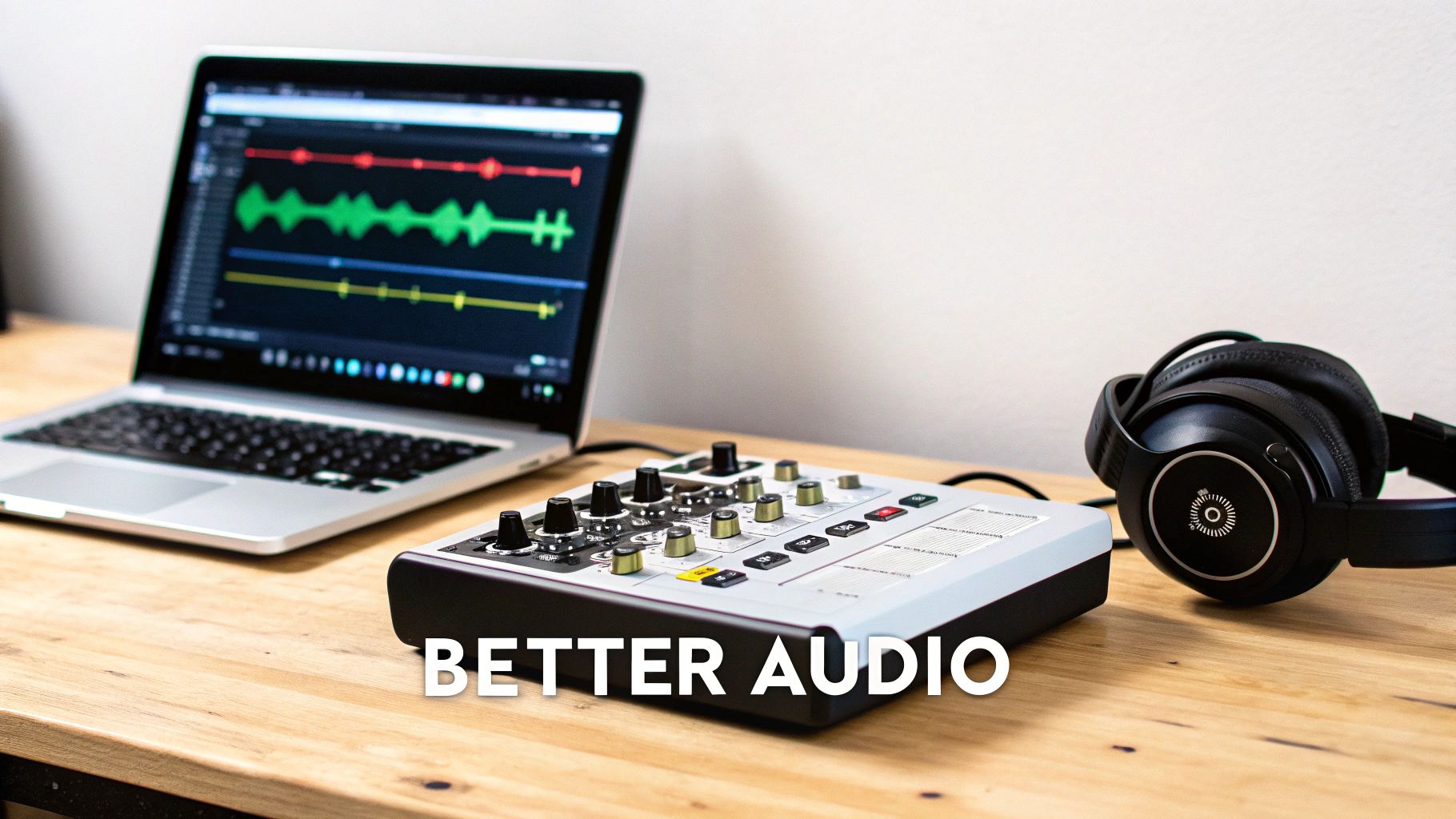
Adobe Premiere Pro leans heavily on its tight integration with the rest of the Creative Cloud. The Essential Sound panel gives you quick, easy-to-use tools for dialogue, music, and effects right inside the editor. But its real power move is the Dynamic Link to Adobe Audition. This lets you send your entire audio timeline over to a dedicated digital audio workstation (DAW) for serious work, then see the changes update live in Premiere—no rendering required.
DaVinci Resolve pushes the all-in-one concept to its limit with the built-in Fairlight page. This isn't just a handful of audio tools; it's a full-blown DAW baked right into the software. Fairlight supports a massive number of tracks, VST plugins, and even professional mixing consoles, making it powerful enough for feature film sound design without ever leaving the app. It's a huge win for keeping projects contained and organized.
Then there's Final Cut Pro, which stays true to form by providing an incredibly fast and powerful set of internal audio tools. It excels at multi-channel audio, precise keyframing, and straightforward mixing. While it doesn’t have a dynamic link feature, it plays perfectly with Apple's own Logic Pro. This offers a seamless, professional hand-off for editors who need to dive deep into custom scoring or advanced sound mixing.
The core difference really comes down to philosophy. Premiere Pro is all about ecosystem synergy. Resolve aims for total integration in one package. Final Cut Pro nails the streamlined internal toolkit while offering a clean hand-off to a specialized audio application.
Whichever editor you land on, having a system for your sound effects and plugins is what separates the pros from the amateurs. All three platforms support industry-standard VST or AU plugins, so you can bring in your favorite tools for noise reduction, EQ, and other creative effects.
If you want to tighten up your process, our guide on establishing an effective audio post-production workflow offers practical steps that work in any NLE. In the end, the best software is the one that fits the audio complexity of your projects—whether that's a quick dialogue clean-up in the timeline or a full-blown sound design session in a dedicated environment.
Diving into the world of video editing software always stirs up a few key questions, especially around hardware, starting points, and workflow. Let's tackle some of the most common ones I hear from editors.
If you're just starting out, my top recommendation is the free version of DaVinci Resolve. You get an incredibly powerful, professional-grade tool without spending a dime. It’s the perfect way to learn the fundamentals of an industry-standard workflow right from the get-go.
For Mac users, Final Cut Pro is another fantastic choice. It's famous for its clean interface and is generally considered easier to pick up than other professional Non-Linear Editors (NLEs). It's a great way to build your editing confidence fast.
In short, yes. Professional video editing, especially with 4K footage, color grading, and visual effects, demands a lot from your machine. A powerful computer isn't just a luxury; it's essential for a smooth, frustration-free experience.
To avoid performance bottlenecks, you'll want to focus on these key components:
Technically, you can move projects using interchange formats like XML or AAF, but I almost never recommend it. It's a messy process that rarely works as cleanly as you'd hope.
These formats are designed to transfer the basics—like clip placement and timing on your timeline. What they don't transfer are all the specific effects, color grades, titles, and custom tweaks you've made. You'll end up spending a ton of time rebuilding all the creative work you already did. It's far better to start and finish a project in the same program.
The good news? The fundamental editing skills you develop in one NLE are almost entirely transferable to another.
No matter which editor you land on, the right sound can make or break your final cut. SFX Engine has an AI-powered library of royalty-free audio that lets you generate the exact sound you’re hearing in your head, just by typing a text prompt. Find your sound at https://sfxengine.com.
