January 31, 2026 · Kuba Rogut
When you start comparing game audio middleware, the fundamental choice boils down to one thing: do you need the deep, fine-tuned control of a specialized tool like Wwise or FMOD, or will the simpler, more direct audio systems in Unreal Engine and Unity get the job done? Your project's scope and audio ambition will point you to the right answer.
In modern game development, sound isn't just decoration—it's a core part of the experience, driving immersion and telling stories. While engines like Unreal and Unity include their own audio tools, many studios, from indie startups to AAA giants, eventually hit a wall with what's possible out of the box. That's where dedicated audio middleware comes in.
Think of middleware as a specialized bridge connecting your game engine to your sound designer's vision. It offers a powerful, self-contained environment built specifically for creating, managing, and implementing complex audio behaviors, often without needing a programmer to write a single line of new code.
So, why would you add another tool to your pipeline? The move to middleware is all about gaining more sophisticated control and working more efficiently. Native engine audio is perfectly fine for simple tasks, like triggering a sound effect when a player pushes a button. But it can quickly become unwieldy when you're trying to build the dynamic, interactive systems that make modern games feel alive.
This is where middleware shines, easily handling challenges that are tough for native systems:
For a sound designer, switching to middleware is like going from a basic wrench to a full mechanic's toolkit. It gives them the power to build incredibly detailed audio logic—from multi-layered vehicle engines that respond to RPM and load, to subtle procedural ambiences that feel organic and never repeat.
This guide dives into the four main options developers typically consider. With the global game sound design market valued at around USD 1.2 billion in 2024, the industry is clearly investing heavily in high-quality audio. As noted in market trend reports on OpenPR, picking the right toolset has become a key strategic decision.
Each of these solutions brings a different philosophy and set of features to the table, making them better suited for different kinds of projects and teams.
To get a quick lay of the land, this table breaks down the core strengths of each solution. It’s a great starting point for seeing where each tool fits before we get into the nitty-gritty details.
| Audio Solution | Best For | Core Strength |
|---|---|---|
| Wwise | AAA and large-scale projects | Deep logic, data management, and scalability |
| FMOD | Indie and mid-sized teams | Rapid prototyping and an intuitive, DAW-like workflow |
| Unreal Engine (Native) | Projects needing deep engine integration | Procedural sound generation with MetaSounds |
| Unity (Native) | Mobile, VR, and smaller-scale projects | Simplicity and ease of use for basic audio needs |
Now that you have a high-level view, let's explore what makes each of these options tick and figure out which one is the right fit for your next game.
When you start digging into a proper game audio middleware comparison, it becomes clear pretty quickly that Wwise and FMOD aren't just two tools that do the same thing. They represent two fundamentally different philosophies on how to build interactive sound.
Choosing between them is less about which one is "better" and more about which one clicks with your team's brain. At its core, Wwise is an architect's dream, while FMOD feels like a producer's studio. This distinction is critical because it will shape everything—from how fast you can iterate to the sheer complexity of the systems you can build.
Wwise is built from the ground up on a powerful, object-based architecture. A sound designer using Wwise doesn't just think about triggering sounds; they think in terms of a hierarchy of containers, actors, and events that manage sound objects. It’s a data-driven model that treats every sound and behavior as a logical component in a much larger system.
Think about designing the audio for a complex vehicle. In Wwise, you'd likely create a "Vehicle" actor-mixer that holds various sound objects: one for the engine, one for tire squeal, another for chassis rattle. The engine sound itself might be a blend container that mixes different audio loops based on real-time game parameters like RPM and Engine Load.
This structure gives you immense control and scalability, which is why it has become a staple in AAA development.
Play_Vehicle_Engine and feed it updated parameters; the middleware handles all the complex mixing and state changes behind the scenes.Wwise forces you to think like a systems engineer. It encourages you to build robust, reusable audio structures that can handle the massive scale of a modern open-world game, where thousands of sounds might need to be managed simultaneously without bringing the system to its knees.
This approach is incredibly powerful for taming complexity, but it comes with a steeper learning curve. New users often have to wrap their heads around its hierarchical project structure before they can really get moving.
FMOD Studio, on the other hand, embraces a workflow that will feel right at home for anyone who's ever touched a digital audio workstation (DAW) like Logic Pro or Ableton Live. Its heart is the Event Editor, a timeline-based interface where you arrange sound files, add effects, and draw in parameter-driven logic in a highly visual way.
Let’s go back to that vehicle engine. In FMOD, you'd create a single "Engine" event. Inside that event’s timeline, you would drop your engine loops and use automation curves linked to game parameters (RPM, Load) to control their volume and pitch. It feels just like automating tracks in a music session, which makes it incredibly intuitive for getting ideas working fast.
This accessibility is a big reason why FMOD has become so popular. The 2023 Game Audio Industry Survey actually pointed this out, noting FMOD's adoption has grown significantly among indie and mid-sized studios that need to move quickly. You can check out more details on what tools people are using in the full Game Audio Industry Survey 2023 report.
To really nail down the differences, it helps to see them side-by-side. This table breaks down the core philosophy and typical workflow for each tool, which should help you see where your project might fit.
| Aspect | Wwise by Audiokinetic | FMOD by Firelight Technologies |
|---|---|---|
| Core Philosophy | Data-driven, object-oriented model with containers | DAW-inspired, event-driven model |
| Primary Use Case | Large-scale projects with complex interactive systems | Rapid implementation and projects of all sizes |
| Learning Curve | Steeper; powerful but requires deeper understanding | More accessible for users familiar with DAWs |
| Community Focus | Strong in the AAA and professional audio communities | Very strong in the indie and mid-tier developer communities |
Ultimately, the choice between Wwise's structured, container-based system and FMOD's fluid, event-based workflow comes down to your project's needs. If you're building a massive, systemic world with deeply layered audio that needs meticulous management, Wwise provides the architectural backbone. If your team values quick iteration and prefers a visual, timeline-based approach, FMOD offers a more direct and often faster path from concept to implementation.
For a long time, the standard advice for any serious game audio was to skip the engine's built-in tools and grab dedicated middleware. That was solid advice for years, but things have changed. The native audio systems inside Unreal Engine and Unity have grown up, forcing developers to ask a new question: are the native tools finally "good enough"?
For many projects, the answer is a resounding "yes." The seamless, zero-friction integration of native audio can be a huge win. You don't have to manage a separate program, wrestle with build syncing, or worry about another license. Keeping everything under one roof is a compelling reason to stick with the out-of-the-box solution.
This shift makes any modern game audio middleware comparison far more interesting. It's not just a showdown between Wwise and FMOD anymore. Now, it's about figuring out when you truly need a specialized tool and when it’s just overkill.
Unreal Engine has taken massive leaps in audio, and the crown jewel is MetaSounds. This node-based procedural audio system is a genuine game-changer, handing sound designers a level of granular control that used to require middleware or a dedicated programmer.
With MetaSounds, you aren't just triggering pre-made sound files. You are literally generating and synthesizing sound in real time, directly inside the engine. If you've ever used Unreal's Blueprint or Material editors, you'll feel right at home in the visual scripting environment, where you can construct intricate audio behaviors from the ground up.
This opens the door to some incredible creative possibilities:
MetaSounds marks a fundamental change in how native engine audio is approached. It's not about just playing sounds; it's about designing sound systems with the same depth and interactivity as the core gameplay mechanics, all within the same ecosystem.
For projects that are heavily procedural or need an incredibly tight bond between sound and physics, MetaSounds can actually outperform middleware. To see just how deep the rabbit hole goes, check out our detailed guide that breaks down the Unreal Engine audio system explained.
Unity’s native audio engine is a different beast. It takes a more direct, component-based approach that's incredibly easy to get to grips with. While it doesn't have a direct parallel to the procedural power of MetaSounds, its strength lies in its simplicity, accessibility, and rock-solid performance. This makes it a fantastic fit for mobile, VR, and smaller-scale indie projects.
The workflow is exactly what you'd expect if you've spent any time in Unity. You add an Audio Source component to a GameObject, drag in an AudioClip, and you're ready to trigger it from a script or animation. That simplicity is its superpower, letting you get basic audio up and running in minutes.
Unity’s system delivers all the core functionality most games will ever need:
If your game's audio needs are straightforward, Unity's native tools are often the perfect choice. Think of hyper-casual mobile titles, clever puzzle games, or focused narrative experiences where a complex, dynamic audio system would be totally unnecessary. The lack of a middleware licensing fee and the gentle learning curve make it a smart, efficient, and budget-friendly solution for a huge slice of the market.
Picking the right audio tool isn't just a creative or technical choice—it's a financial one. The way Wwise, FMOD, and native engines handle their pricing can have a huge impact on your budget, so you need to know exactly what you're getting into. A clear understanding of the costs from the start helps you avoid nasty surprises later on.
The market for these tools is massive for a reason. Valued at over USD 1.3 billion in 2024, the game audio middleware space is booming because flexible licensing has made professional-grade audio accessible to everyone, from solo developers to AAA studios. You can dive deeper into these trends in this Growth Market Reports analysis.
For many teams, this financial breakdown is often the moment of clarity in any game audio middleware comparison.
FMOD's licensing is famously straightforward, and that’s a huge plus for developers who need to know their costs upfront. It’s based on a simple per-title, per-platform model. You pay one fee for your game, and if you release on PC, PlayStation, and Switch, you pay that fee for each platform.
This approach is a lifesaver for indie and mid-sized studios. Once the license is paid, your audio middleware costs are locked in for the life of that project. It doesn't matter if you sell a thousand copies or ten million.
This predictability is a core reason FMOD has such a loyal following in the indie scene. For more on how indies handle their budgets, take a look at our guide on how indie games do sound design.
Wwise takes a different route with a more complex, tiered licensing model that grows with your project's budget. It's built to handle everything from tiny indie games to massive AAA productions, but you’ll need to do your homework to figure out the total cost.
The free tier for Wwise is quite generous, letting indie projects under a certain budget and with a limited number of audio files use it without paying a dime. This gives you full access to its powerful toolset upfront. But once you cross that line, you move into a tiered system where the license fee is tied directly to your game’s total production budget.
Wwise’s pricing model is an investment in scalability. You’re essentially paying for the power and support that a large-scale project demands, with the cost directly reflecting your project's financial scope.
On the surface, the native audio engines in Unreal and Unity look like a steal—they're completely free. No license fees, no per-title costs, no budget tiers. It seems like a no-brainer. But "free" doesn't always mean zero cost.
The real cost of native engines often comes in the form of development time. If your game's audio needs outgrow what the built-in tools can do, you'll find your engineers spending weeks or months building custom systems from scratch—features that middleware already provides. That "free" tool can quickly become a costly bottleneck, leading to higher development bills and project delays.
Any real talk about game audio middleware today has to include asset creation. The game is changing, and AI sound generators are carving out seriously efficient new workflows for sound designers. Tools like SFX Engine let you go from a creative spark to a ready-to-use asset in seconds, completely sidestepping the time sinks of field recording or endlessly scrolling through sound libraries.
This isn't about replacing middleware—it's about supercharging it. The idea is to use AI to quickly generate a deep well of unique, royalty-free sound effects. You can then pull these assets into Wwise, FMOD, or a native engine to build out your dynamic audio systems. Instead of starting a design with a few precious recorded assets, you can now kick things off with dozens of unique variations.
The process itself is refreshingly direct, built for speed and creative freedom. It effectively closes the gap between pure sound creation and the technical side of implementation, putting more control right where it belongs: with the sound designer.
This simple, three-step pipeline shows just how cleanly AI-generated sounds fit into the bigger picture.
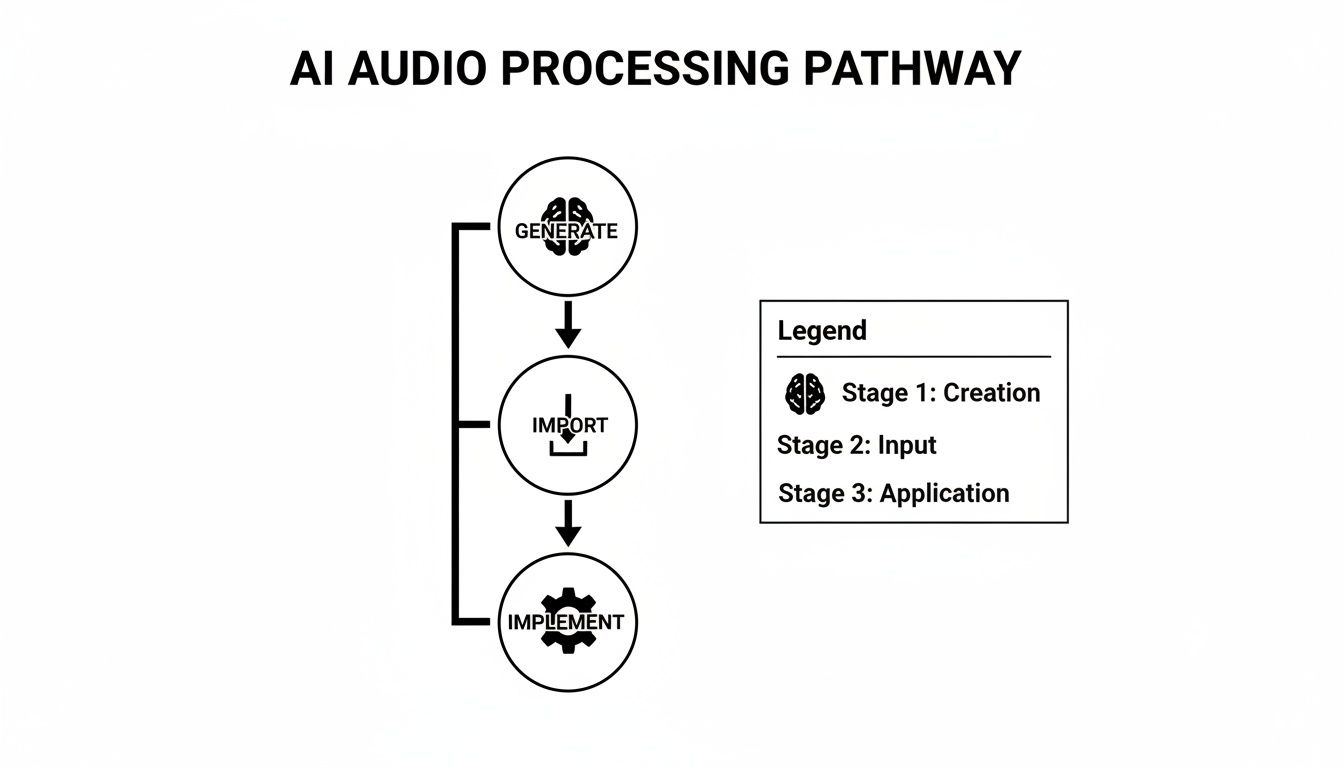
It’s a workflow that lets designers create the exact assets they need, then hand them off to the powerful logic engines of middleware to make them sing.
Generate with Text Prompts: It all starts with you describing the sound you want. Instead of searching for "footstep on gravel," you can get specific and prompt for "heavy leather boot crunching on wet pebbles in a cave." If you're new to this, learning how to talk to AI is a skill in itself. Checking out a beginner's guide to prompt engineering and AI mastery can really help you get the results you're looking for.
Create Variations: Once you nail a sound you love, you can generate a whole bunch of variations with subtle differences. This is your secret weapon against the dreaded "machine gun effect," where a repeated sound becomes annoyingly obvious. We dig into this more in our guide on how to create sounds with SFX Engine.
Import and Implement: With a folder full of unique assets, you just import them directly into your middleware of choice. From that point on, your implementation process is exactly the same as it would be with traditionally sourced audio.
This is where you really see the magic happen. When you feed a massive set of AI-generated variations into middleware containers, you can build soundscapes that feel incredibly organic and alive.
The real advantage of integrating AI-generated effects is volume and specificity. You can create 50 distinct monster footsteps in minutes, then drop them into a Wwise Random Container to ensure no two steps ever sound exactly the same. That's how you make a creature feel truly present and believable.
Here are a few ways this plays out in the real world:
Play_Magic_Spell event gets called, the middleware grabs a random one. Instant variety.This workflow does more than just speed up asset creation; it amplifies what the middleware you’re already using can do. It gives these powerful systems the raw, varied material they need to truly shine, making your game’s audio landscape that much richer and more immersive.
Trying to crown one tool as the absolute "best" after a game audio middleware comparison misses the point entirely. The right choice is never universal; it's a direct reflection of your team, your budget, and the creative scope of your game. This is where we distill everything down into practical, situational advice to help you make the right call.
The goal here is to align a tool's philosophy with your team's reality. A solo developer trying to get a game out the door has completely different needs than a massive AAA studio wrangling a mountain of audio assets. Let’s break down which middleware makes sense for different kinds of projects.
Your team's size and the scale of your game are the clearest signs pointing toward the right audio solution. Every developer profile has different priorities, whether it's sticking to a tight budget or needing deep, systemic control over every sound.
Choosing your audio tool is a strategic commitment that defines your workflow. For AAA teams, Wwise isn't just a choice; it's infrastructure. It provides the architectural backbone needed to manage hundreds of thousands of audio assets and complex interactive systems across a massive team of sound designers and engineers.
The world of game audio is full of tough decisions, especially when you're picking the core tools for your project. Here are a few answers to the questions I see pop up most often from developers and sound designers trying to navigate the audio middleware landscape.
You can, but you almost certainly shouldn't. Think of it less like swapping out a single tool and more like ripping out your game's entire audio foundation.
Switching from a native engine to middleware, or even between Wwise and FMOD, means rebuilding every single sound event, parameter, and audio hook from scratch. It’s a massive undertaking, guaranteed to chew up time and introduce a ton of bugs. Your audio implementation timeline essentially gets reset to zero.
Unless you're in the very earliest prototyping phase or you've hit a complete, project-killing dead end, stick with what you have.
The decision to switch middleware mid-project is less a technical choice and more a production one. It often signals a significant underestimation of the project's audio scope and can put budgets and deadlines at serious risk. Plan carefully from the start to avoid this costly scenario.
Performance optimization is one of the main reasons to use dedicated middleware in the first place. Tools like Wwise and FMOD are built by specialists obsessed with squeezing every drop of performance out of CPU and memory, far more efficiently than most native engine audio systems.
They come with advanced voice management, sophisticated compression, and robust streaming systems designed to keep the game running smoothly. Sure, all audio processing has a cost, but middleware is built from the ground up to minimize that footprint, especially when you're dealing with hundreds or thousands of simultaneous sounds. A poorly managed native audio implementation will almost always be a bigger performance hog.
Absolutely not. In fact, a huge benefit of middleware is that it empowers sound designers to do their best work without writing a single line of code. The day-to-day workflow in both Wwise and FMOD is built around visual, node-based interfaces that should feel familiar to anyone who's used a DAW.
Sound designers can build incredibly deep, interactive audio systems on their own. The programmers just need to fire off simple, named events (like "Play_Footstep") and feed in game data (like the current surface type or player speed). While a bit of scripting knowledge can help with custom integrations down the line, it’s not required for the sound team. This clear separation of roles is a massive workflow accelerator for everyone.
Ready to supercharge your audio workflow with limitless, unique sound effects? SFX Engine provides a free, AI-powered sound generator perfect for any project. Create exactly what you need with simple text prompts and integrate it seamlessly into your chosen middleware. Start creating for free at SFX Engine.
