March 25, 2026 · Kuba Rogut
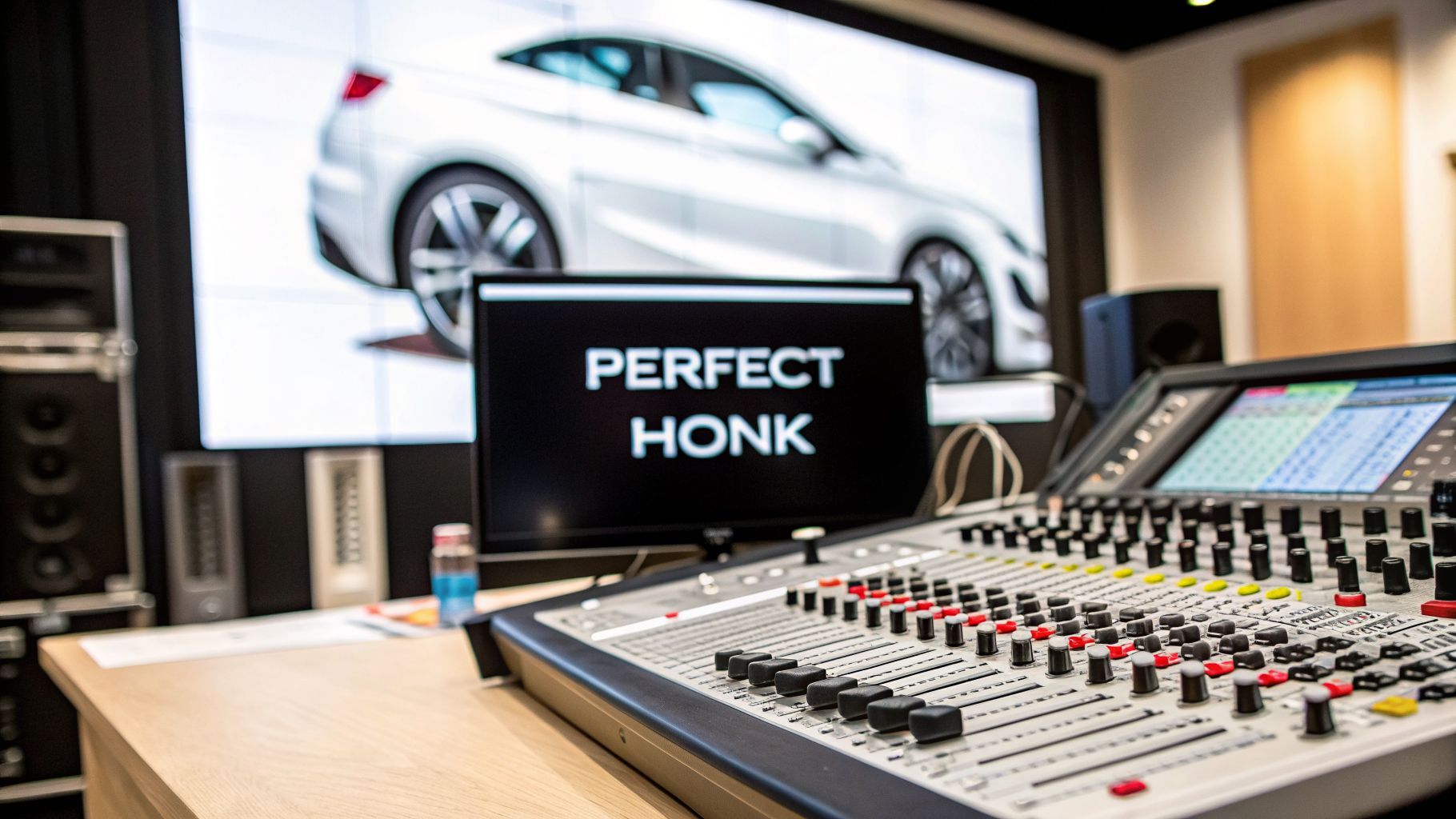
A honking horn sound is so much more than just a noise. In film, games, and audio dramas, it's a powerful storytelling device. A quick, friendly beep can signal an arrival, while a long, aggressive blast instantly builds tension. The right horn sound communicates emotion and context in a split second.

Let's be honest, generic sound effects from a library often fall flat. They lack character and specificity. This guide is all about moving beyond those one-size-fits-all effects. I’ll walk you through how to use a tool like SFX Engine to design your own custom horn sounds, from the perfectly realistic to the wildly stylized.
The first step is understanding what makes a horn sound believable. It’s not just the tone; it’s the environment. A honk in a wide-open field is going to sound completely different from one echoing in a concrete parking garage.
It's fascinating how the same physical sound can carry completely different meanings. It all comes down to context and delivery. A short tap might be a friendly "hello," but a sustained blare often signals pure rage.
When you're designing, think about these core sonic elements:
The cultural interpretation of a horn honk is a detail that many designers miss. In the U.S., it's often a sound of confrontation. But if your project is set in a place like Vietnam or India, it's used more like a polite, informational tap to say, "I'm here, just letting you know."
This distinction is what separates good sound design from great sound design. Before you even touch your software, ask yourself: Who is honking? Where are they? And what are they trying to communicate? The answers will guide every choice you make.
To get you started, here’s a quick-reference table that connects different horn types to their most common uses and the emotions they tend to evoke.
| Horn Type | Sound Characteristic | Common Use Case | Intended Emotion |
|---|---|---|---|
| Modern Sedan | Mid-range, clean tone | Polite "heads-up" in traffic | Neutral, Informational |
| Muscle Car | Throaty, loud, dual-tone | Showing off or aggressive warning | Assertive, Confident |
| Vintage Car | Quaint, "ahooga" or brassy | Comedic effect or period piece | Nostalgic, Whimsical |
| Semi-Truck | Deep, powerful air horn | Long-distance warning on highway | Powerful, Dominant |
| Scooter | High-pitched, short beep | Navigating dense city streets | Agile, Friendly |
This table should give you a solid foundation for thinking about how the horn's character supports the narrative. A weak, high-pitched beep from a giant truck would feel wrong—unless that's the specific comedic effect you're going for

Getting a great honking horn sound from SFX Engine all comes down to the quality of your text prompt. If you’re just typing in "car horn," you're leaving way too much to chance. To really nail the sound you have in your head, you need to move beyond the basics.
Think of it this way: every detail you add to your prompt gets you a step closer to the perfect take on the first try. Not only does this save you a ton of tweaking time, but it also helps you make the most of your generation credits.
Let's look at what a little detail can do. A prompt like "car horn" is a total shot in the dark. It works, sure, but what kind of sound will you get? A rusty clunker? A luxury sedan? A clown car?
This is where you need to get specific and direct the AI. Instead of just a noun, give it some character.
See the difference? You're no longer just requesting a generic sound; you're directing a performance. If you're new to this way of thinking about sound generation, our full guide on how to create sounds with SFX Engine is a great place to start.
In the real world, a horn sound is never just a horn sound—it's shaped by everything around it. Adding environmental details to your prompt is one of the most powerful things you can do to add instant realism and a sense of place.
For instance, don't just ask for a "truck horn." Try something that tells a story:
A great prompt anticipates the final mix. By including words like "echoing," "muffled," "distant," or "reverberating," you are essentially telling the AI to build the environmental acoustics directly into the sound effect itself.
This technique is a game-changer for world-building. That first prompt gives you a feeling of immense scale and isolation, while the second one sounds chaotic and claustrophobic. You're basically doing your effects processing before you even touch a single parameter.
The goal is to translate the scene from your mind into a clear set of instructions. Before you type, just ask yourself: what’s honking, why is it honking, and where is it happening? Answering those three simple questions will give you everything you need to write prompts that deliver fantastic results every single time.
Getting a good result from your prompt is just the first step. The real magic happens when you start playing with SFX Engine's parameters. I like to think of the initial generation as a lump of clay; the parameters are your hands, letting you sculpt that basic sound into something specific and full of character.
This is where you go from a generic "honk" to a sound that tells a story. You can craft a polite little toot or a full-on, sustained blast of road rage, all by tweaking a few sliders.
Honestly, the most powerful controls are often the most basic ones. You don't need to get overly complicated to make a huge difference in the sound's feel and personality. Mastering these few core parameters will make your workflow so much faster.
Here's what I always focus on first:
A pro tip I've learned over the years: make small, deliberate adjustments. A huge, sudden jump in pitch can sound fake and digital. But a subtle shift of just 5-10% can inject the perfect amount of personality without shattering the realism. Always start small and listen closely after every single change.
Once you’ve got the basic horn shape down, you'll want to refine its texture. Knowing how to adjust equalizer settings for perfect sound is a game-changer here, as it lets you carve out space for the honk in a busy audio mix. For a deeper dive, check out our complete guide to building a car driving sound effect from the ground up.
Let's put this into practice. Say you started with the prompt "car horn honk" and SFX Engine gave you a decent, standard, mid-range horn. Here’s how you can use the parameter controls to push it in a few different creative directions.
This is the control panel where you'll do your work. By manipulating 'Duration,' 'Pitch,' and other effects, you can get wildly different results from that one initial sound.
For a tense traffic jam scene, I’d aim for a series of short, irritated honks. Try setting the Duration to about 0.8 seconds and bumping the Pitch up just a bit to give it a sharper, more frustrated tone. Adding just a touch of Distortion can give it that raw, metallic bite you hear when a driver is really at their wit's end.
On the flip side, what if you need that friendly "toot-toot" of someone arriving to pick up a friend? For this, you’d want a much shorter Duration, maybe around 0.3 seconds. I'd keep the pitch neutral, or even slightly lower it for a more pleasant sound, and make sure there’s zero distortion. The goal is a clean, gentle sound that says "I'm here!" not "Get out of my way!"
A single, flat sound effect is rarely convincing. If you want to create sounds that feel real and have an impact, the secret is almost always in the layering. This is especially true for something like a honking horn sound, which can sound weak and synthetic if it’s just one monolithic file.
Let's break down how to build a much more believable horn in SFX Engine by thinking like a sound designer. Instead of generating one sound, we're going to assemble it from its core components. The main parts of any horn are the Attack, the Body, and the Release.
The first thing you'll want to do is generate each of these pieces as a separate sound effect. This gives you way more control when you start mixing them together later in your audio editor.
The Attack: This is that initial, sharp punch. It’s what grabs the listener's attention. Try using a prompt like, "sharp metallic click" or "short percussive air burst." You want this to be incredibly short—think somewhere around 0.1 to 0.2 seconds. It’s just a quick transient to give the honk some bite.
The Body: This is the sustained tone, the actual "honk" itself. A good starting point is a prompt like, "sustained car horn tone, mid-pitch, no attack." From here, you can really define the vehicle's personality. A deeper pitch suggests a big truck or an old sedan, while a longer duration can really sell a driver's frustration.
The Release: This is the subtle bit of sound as the horn stops, often with a hint of its environment. Prompts like, "subtle garage reverb tail" or "faint echo in an open street" work well. This layer is easy to forget, but it's what glues the sound to the world and makes it feel authentic.
Once you have these three audio files, you can pop them into your DAW or video editor and line them up on separate tracks. The Attack comes first, the Body tucks in right behind it, and the Release can sit underneath or fade in just as the Body ends. For a more detailed walkthrough of this technique, our guide on how to layer sound effects in video projects is a great resource.
The real magic of layering is being able to process each part on its own. You could add a little distortion just to the Attack for a grittier, more aggressive start, while leaving the Body clean and powerful. That kind of surgical control is impossible with a single, pre-baked sound file.
Layering isn't just about realism; it’s a powerhouse for creative sound design. This is where you can start crafting sounds that are truly unique to your project. Don't feel boxed in by what a horn is "supposed" to sound like.
For instance, what if you're designing for a rusty, beat-up pickup? Try blending your realistic horn layers with a very quiet layer of "subtle metallic resonance" or "grinding metal gears." Suddenly, that horn isn't just a sound—it's telling a story about the vehicle's poor condition.
Adding a sense of movement is another great trick. Generate a faint Doppler whoosh using a prompt like "passing car whoosh" and layer it quietly under your main horn. This one small addition can instantly take a static sound and place it in a dynamic scene, selling the illusion that a car is driving past the camera. By mixing and matching these sonic ingredients, you're not just recreating a sound; you're truly designing an experience.
A single, generic horn sound just won't cut it. The real magic in sound design comes from understanding that a horn isn't just noise—it's a voice. And that voice changes dramatically depending on the car, the place, and even the local driving culture. Building a solid library of horn variations is what separates amateur work from a world that feels genuinely alive.
Think about the vehicle itself. Your sound needs to match its personality. A tiny European city car stuck in Parisian traffic? It needs a peppy, high-pitched beep-beep, almost apologetic. Now, picture a classic American muscle car. It demands a deep, dual-tone blare that screams confidence and power. And for a massive semi-truck hauling down the highway, you need that unmistakable, booming air horn that can slice through miles of road noise.
Each of these sounds tells a story. They set a scene and establish character long before a single line of dialogue is spoken.
The meaning behind a honk can shift completely depending on where you are in the world. In many Western countries, laying on the horn is seen as aggressive, a sign of frustration or a last-ditch warning. But in other places, it’s just part of the everyday conversation on the road.
To build these different emotional and contextual layers into your sounds, you can think of the horn's construction in three distinct parts.

This process—combining a sharp Attack, a sustained Body, and an environmental Release—is your key to building a horn sound from the ground up for any scenario you can imagine.
Understanding these cultural nuances is critical because it dictates how your audience will interpret the sound. For example, after a massive boom in vehicle ownership in Myanmar, the constant sound of horns has almost become part of the city's ambient texture. Drivers use them for everything, to the point where a friendly honk might get lost in the noise.
This is a world away from a place like the Cayman Islands, where a horn is rarely used for anything other than a clear, recognized greeting. You can learn a lot by exploring these fascinating cultural communication norms to see just how much location can alter a sound’s purpose.
By thinking about the vehicle, its location, and the cultural context, you’re no longer just dropping in a sound effect. You’re weaving a crucial piece of environmental storytelling. Your audience might not consciously register every detail, but they will absolutely feel the authenticity.
Even with a powerful tool like SFX Engine, you're bound to hit a few creative roadblocks. It happens to all of us. Here are some of the questions I hear most often from other designers, along with the practical, in-the-trenches advice I give them.
This is a classic. You need that "get out of my way" sound, not just a polite little toot. The secret lies in a combination of your prompt and some key parameter tweaks.
Start by telling the AI exactly what you want. Use words like "angry," "frustrated," or "long blaring blast" in your prompt. This gives the engine a strong starting point for generating a sound with a harsh, urgent character.
From there, it's all about dialing in the aggression. A fast attack is crucial—you want that sound to hit instantly. Pair that with a long sustain for the feeling of someone leaning on their horn. I also like to bump the pitch up just a bit for extra sharpness and then add a touch of 'Distortion' for that raw, grating quality that really sells the anger.
A pro tip? Layering. Create a short, sharp initial honk and layer it with a second, sustained honk that has a slight waver. This perfectly mimics that real-world sound of frustration.
If your horn sounds like it was recorded in a vacuum, it’s because it’s missing context. Realism isn't just about the source sound; it's about the space it lives in.
The trick is to subtly weave in the environment. Once you have your main horn sound, generate a separate, very low-volume track using a prompt like "light city traffic rumble" or "faint garage echo." Don't just place it under your horn—mix it in so it feels like a single, cohesive sound.
You can also use the 'Reverb' parameter directly on the horn itself. Try the 'small room' or 'garage' presets for tight urban scenes. For more open spaces, a little 'echo' can suggest distance and reflection.
A common mistake is making the background noise too loud. The goal is subtlety. The ambient layer should be barely noticeable on its own but adds a crucial sense of place when combined with the main horn sound.
Ah, the Doppler effect—that classic pitch shift as a car whizzes by. It’s absolutely essential for selling movement. While you can use dedicated plugins for this, you can get a surprisingly convincing result right within SFX Engine and your audio editor.
Here’s how I tackle it:
Now, head over to your audio editor. As the "vehicle" approaches, use the high-pitched version. At the exact moment it passes the listener's perspective, perform a quick crossfade to the low-pitched version. By combining this pitch change with a corresponding volume swell and fade-out, you'll create a seamless and believable pass-by effect.
I get this question a lot, and the answer is simple: absolutely.
Every single sound effect you generate with SFX Engine, including all those custom horns you’ve been perfecting, is 100% royalty-free. It comes with a full commercial license baked right in. That means you can use your creations in films, games, apps, or any other commercial work without ever worrying about extra fees or tricky licensing down the road.
Ready to stop scrolling through generic sound libraries and start creating the exact audio you hear in your head? With SFX Engine, you can design unique, high-quality sounds in seconds. Give it a try for free and hear the difference for yourself. Create your first custom sound effect now!
