February 7, 2026 · Kuba Rogut
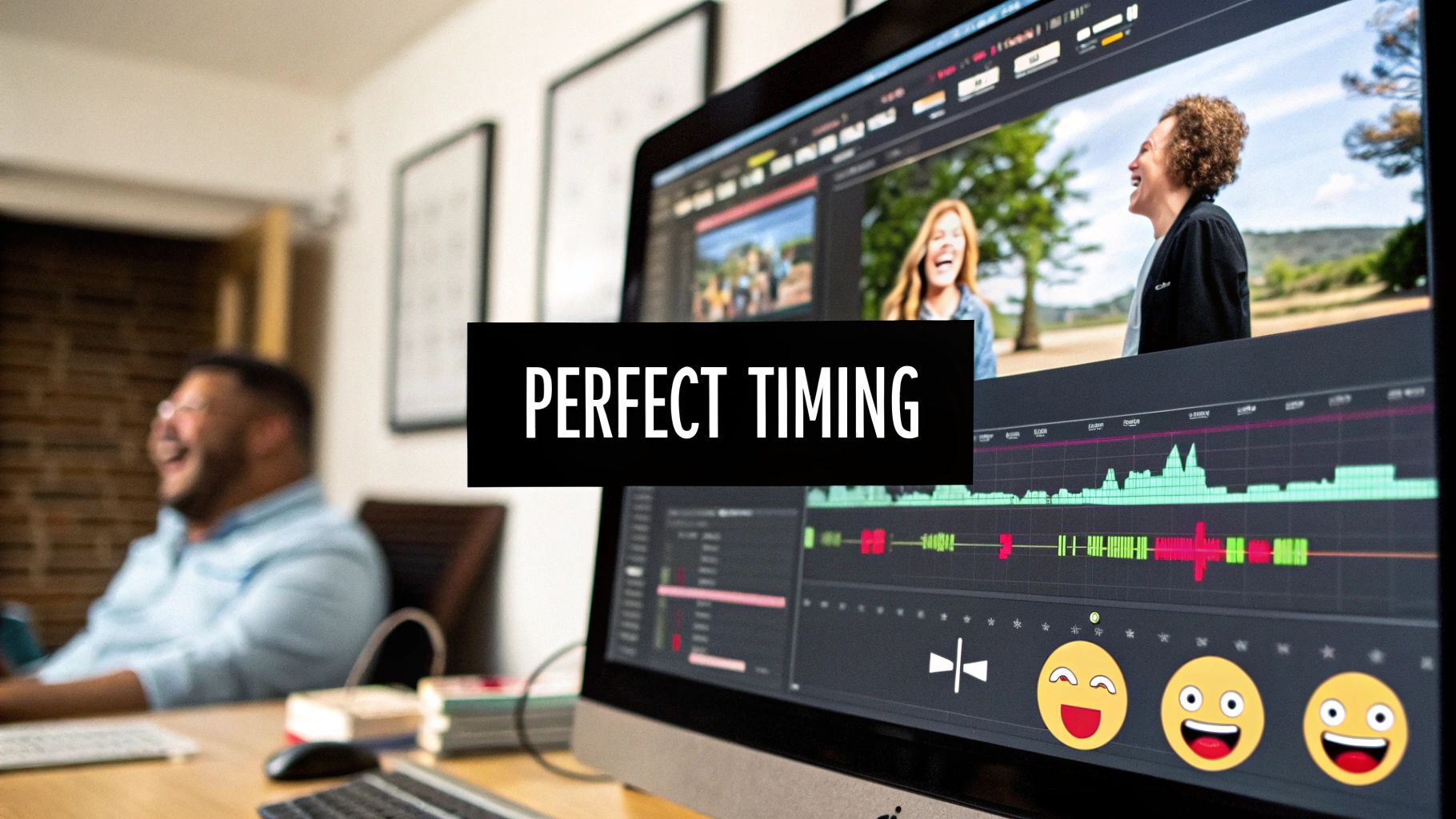
The secret sauce to a genuinely hilarious video isn't just the visual gag. It's the sound effect that lands at the perfect moment, turning a chuckle into a full-on belly laugh. Get this right, and you’re not just editing; you’re conducting an orchestra of comedy.
Mastering this art—specifically, the timing of sound effects—is what elevates a decent clip to viral gold. It often comes down to placing a sound just after the action, giving the punchline that extra kick.
This image pretty much sums it up. This is where the magic happens—where a simple visual is transformed into something unforgettable with the precise placement of audio.
Think of a sound effect as a second, confirming punchline. Its relationship to the comedic beat—that single, critical frame where the funny thing happens—is everything. You’re not just dropping in a boink or a crash; you're designing an auditory experience that cues the audience on how and when to react.
You can play with the relationship between your sound and the comedic beat to get different results. Does the sound lead the action? Follow it? Or hit right on the money? Each choice completely changes how the joke lands.
This is a fundamental concept that seasoned editors live by. Here’s a quick-reference table to break down the three core strategies you'll be using.
| Timing Strategy | Description | Best Used For |
|---|---|---|
| Leading the Beat | The sound starts just before the visual gag. Think of a classic rising whistle before a character slips on a banana peel. | Building anticipation and telegraphing an upcoming joke. It essentially tells the audience, "Get ready, something funny is about to happen." |
| On the Beat | The sound syncs up perfectly with the moment of impact. A cartoon bonk as an anvil hits a character's head. | Creating a direct, punchy effect. This is the go-to for straightforward slapstick, physical comedy, and accentuating sudden movements. |
| Following the Beat | The sound occurs a fraction of a second after the visual gag. A delayed, sad trombone sound after someone realizes they've made a mistake. | This is often the sweet spot. It gives the viewer a split second to process the visual, then the sound confirms it, amplifying the absurdity. |
Mastering the "Following the Beat" technique, in particular, can make a huge difference.
This isn't just a gut feeling; there's data to back it up. Precise sound timing can boost viewer retention by as much as 35%. An analysis of over 10,000 short-form videos showed that effects placed 0.2-0.5 seconds after a comedic beat hit a neurological sweet spot, making the joke land harder.
The what is just as important as the when. Using the same tired, generic sound effects you've heard a million times can make your content feel stale. To understand what really works, it helps to look at humor in all its forms, even simple but effective ones like laughing memes.
This is where custom audio gives you a massive edge. Instead of searching for another generic bonk from a stock library, a tool like SFX Engine lets you generate something totally unique to your scene. You can create "a hollow coconut hitting a metal helmet" or "a deflating balloon mixed with a squeaky toy."
That level of detail is what makes a moment memorable and moves your content from just "funny" to "unforgettable."
Timing sound effects in comedy is less about speed and more about surgical precision. Before you even drag a sound file onto your timeline, your first job is to play detective. You're hunting for one specific thing: the comedic beat.
This beat is the absolute pinnacle of the joke. It's the single frame where a character's face twists into a perfect look of confusion, the exact moment a prop smashes into a million pieces, or that dead, awkward silence just after a truly awful pun. A good editor learns to not just see these moments, but to feel them.
Stop thinking of your timeline as one long, continuous clip. Instead, see it as a series of opportunities. The comedic beat is the anchor for every audio choice you're about to make. Is the joke physical? The beat is probably the point of impact or the immediate reaction. Is it a verbal gag? The beat might be the last syllable of the punchline or the cringey pause that comes right after.
To find it, you have to get granular. Playing the clip at full speed won't cut it. Your best friend here is scrubbing—inching through your timeline frame by frame, forward and backward. This slow, deliberate process lets you pinpoint the exact instant the visual gag lands with maximum force.
One of the biggest mistakes I see is treating the entire action as the "moment." A person slipping on a banana peel isn't one event; it's a sequence. The comedic beat isn't the whole fall. It's the exact frame their foot loses traction and their body goes airborne. That's your bullseye.
Once you’ve found that single frame, mark it. Drop a timeline marker in Premiere Pro, Final Cut Pro, or DaVinci Resolve. This marker is now your ground zero. Every timing decision—whether you place a sound before, on, or after the beat—will be measured against this one point.
Pinpointing the comedic beat is a muscle you have to build. The more you do it, the sharper your instincts get. If you want to fast-track your learning, start actively breaking down comedy you love. Don't just watch it—dissect it.
Here’s a great exercise: Mute a popular comedy sketch and scrub through it, placing markers where you think the sound effects should land. Then, turn the audio back on and see how your timing stacks up against the original editor's. Reverse-engineering like this is an incredibly powerful way to hone your comedic intuition. For a deeper dive into the fundamentals, our guide on how to sync audio with video is a great place to start.
This isn't just theory, either. An analysis of 50,000 YouTube comedy videos revealed that cartoon-style sound effects timed precisely to these "impact moments" boosted laugh tracks by 42%. The classic 'sad trombone' sound, for example, was most effective when placed 0.4 seconds after a mishap—a technique found in 65% of top-grossing animated shorts since 2010. You can find more great examples of the most commonly used cartoon sound effects at Voices.com.
Okay, enough with the theory. Let's talk about what this actually looks like on your timeline. This is where we get into the nitty-gritty of nudging clips by a few frames to take a gag from "kinda funny" to "can't-breathe funny." It's all about those tiny, millisecond adjustments that make all the difference.
One of my go-to moves, which feels a little backward at first, is the ‘post-impact pop.’ Instead of slapping a sound effect right on the comedic beat, you deliberately hold it back for a moment. This tiny delay lets the audience register the visual gag first, and just as their brain is processing it, the sound slams in to amplify the absurdity.
Take the classic anvil drop. If the CRASH is perfectly synced to the anvil hitting the ground, it’s fine, but it’s expected. Now, try delaying that CRASH by just three to five frames. In a 24fps project, that's about 125-200 milliseconds. That slight offset feels so much funnier because the brain sees the impact, asks, "Wait, what just happened?" and the sound provides a ridiculously over-the-top answer.
Great comedic timing isn’t just about reacting to the on-screen action; it’s about controlling the audience's emotional state. You can use sound to wind them up before a punchline hits or to draw out an uncomfortable moment long after it's passed.
Building the Tension: Placing a sound before the comedic beat is a time-honored way to signal that something big is coming. A subtle rising glissando or a goofy stretching sound as a character leans juuuust a bit too far back in their chair tells the audience, "Get ready for it..." The trick is to have the sound hit its peak right as the chair finally gives way.
Milking the Awkwardness: Delaying a sound can also make a scene excruciatingly hilarious. Picture a character telling a truly awful joke to a silent room. Instead of instantly dropping in the sound of crickets, let the silence hang there for a solid second or two. Let the audience feel the secondhand embarrassment. Then, once the cringing is at its peak, you hit them with the crickets. The punchline lands so much harder.
Finding that perfect offset isn't about luck; it’s an iterative process. You have to get in there and experiment, and this simple loop is at the heart of it all.
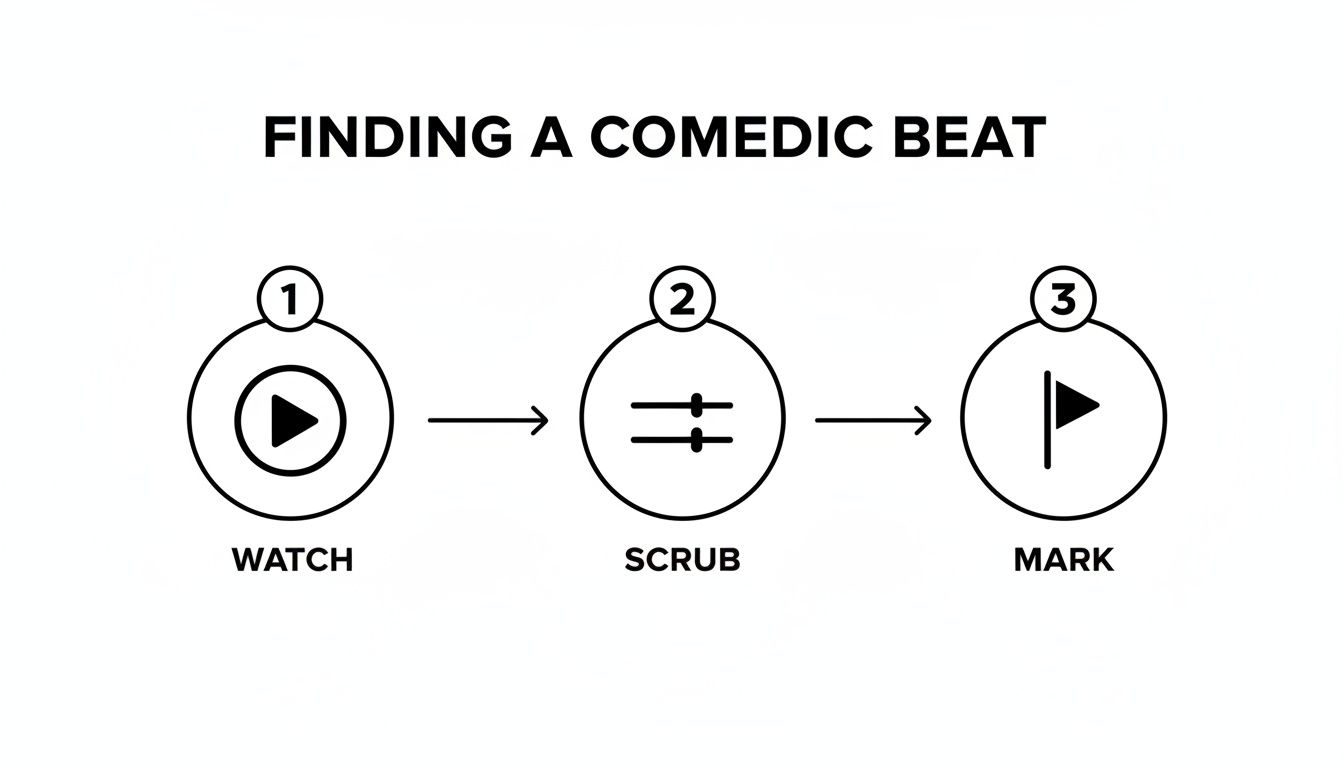
This is the core of an editor’s workflow: Watch the scene, scrub through it frame-by-frame to find the perfect moment, and drop a marker to lock it in.
To make this efficient, you need a system. I rely on a marker-based workflow in Adobe Premiere Pro and DaVinci Resolve. Once you’ve found and marked your comedic beat, don’t just drop your SFX on it and move on.
Instead, duplicate the sound effect clip a couple of times on your timeline. Nudge one version to start three frames before your marker. Place the second one directly on the marker. And nudge the third copy to start three frames after the marker.
Now you can quickly solo each track and A/B test the timing. Does it feel funnier before, on, or after the beat? This simple, disciplined process removes the guesswork and helps you develop a real instinct for comedic timing.
The goal is to make the audio feel intentional, not just reactive. A well-timed sound effect should feel like a deliberate comedic choice that enhances the story, rather than a lazy audio cue that simply mimics the action.
This precision becomes even more vital when you start stacking sounds. Building a solid timing foundation for each element is key. For a deeper dive into that, check out our full guide on how to layer sound effects in video.
Different gags need different timing approaches. To help you get started, I've put together this quick-reference table. Think of it as a set of starting points for your initial placement decisions based on the joke you're trying to land.
| Scenario | SFX Placement Offset | Intended Comedic Effect | Example SFX |
|---|---|---|---|
| Sudden Physical Impact | +2 to +5 frames (after the beat) | Emphasizes the shock and absurdity of a sudden hit or fall. | A classic bonk or a frying pan clang. |
| Building to a Gag | -10 to -30 frames (before the beat) | Creates tension and anticipation, signaling to the viewer to pay attention. | A rising whistle or a stretching rubber band sound. |
| Character Realization | +20 to +40 frames (after the beat) | Highlights the dawning horror or embarrassment on a character's face. | A sad womp womp trombone or a single cricket chirp. |
| Awkward Silence | +60 frames or more (after the beat) | Magnifies the social discomfort of a failed joke or awkward interaction. | A distant cough or the sound of a tumbleweed. |
Remember, these are just guidelines, not unbreakable laws. The best timing will always come down to the specific rhythm and pacing of your video. Use this cheat sheet to inform your first pass, then trust your gut and your marker workflow to dial it in until the comedy lands perfectly.
Let's be honest. Stock sound effects can feel like the fast food of audio design. They get the job done in a pinch, but they rarely leave a lasting impression. Relying on the same old bonk, womp womp, and record scratch everyone has heard a thousand times is the fastest way to make your comedy feel predictable.
To really stand out and develop a signature comedic style, you need a signature sound. This is where you graduate from simply editing video to truly designing the audio experience. Instead of scrolling through endless libraries for a sound that’s "good enough," you get to create the exact sound your scene is begging for. This is how you build an audio identity that makes your work instantly recognizable.
Think about a classic gag: a character slips on a banana peel. The standard move is to grab a generic "slip" sound. But what if that character is a 300-pound wrestler? Or a tiny, delicate ballerina? A one-size-fits-all effect just doesn't land the punchline with the same impact. The comedy is in the specifics.
This is where a tool like SFX Engine comes in. You can generate a sound effect from a simple text description, which means you can bake the comedic context right into the sound’s DNA.
Those two sounds, born from specific prompts, tell completely different comedic stories. Of course, the foundation for all of this starts in a capable video editor, where you'll eventually place and time these custom creations.
The SFX Engine interface is built for this kind of creative exploration, letting you browse and generate sounds that go way beyond simple keywords.
You can see how thinking in full descriptions, rather than just tags, opens up a world of possibilities for getting exactly what you need.
Generating the right sound is just step one. The real magic, especially for comedic timing, often comes from adjusting the internal rhythm of the sound file itself. A single sound effect isn't usually one monolithic event; it's a sequence of smaller sounds. In our banana peel example, we have the initial "squish" and the trailing "slide whistle."
The gap between those internal components is a ridiculously powerful comedic tool. If you tighten the space between the squish and the whistle, the fall feels faster and more sudden. But if you lengthen it, you can create a fantastic moment of suspense, letting the character hang in the air for a comically long time before the payoff.
This is an advanced technique that really separates the pros from the amateurs. You’re no longer just timing a sound to the video; you’re timing the parts of the sound to the micro-actions happening on screen. You can do this by editing the generated file in an audio editor or even just by splitting the sound into its component parts right on your video editing timeline.
This level of control means every piece of your audio is purpose-built for the joke. You’re not just applying a sound effect anymore—you're directing it. If you're new to this workflow, a good primer on how to create sounds with AI can get you started. By crafting unique, perfectly timed audio, you build a distinct comedic voice that just can't be replicated with off-the-shelf assets. This is how your videos become not just funny, but truly memorable.
So, you’ve nailed the timing. The sound effect is placed on the perfect frame to land the joke. But you hit play, and… nothing. The sound gets completely swallowed by the music and dialogue. It’s a common frustration, but it’s fixable.
Perfect comedic timing is useless if the audience can't actually hear the audio punchline.
This is where a little audio mixing goes a long way. You don’t need to be a seasoned audio engineer with a wall of gear. In fact, you can do all of this with the stock tools built right into Premiere Pro, Final Cut Pro, or DaVinci Resolve. It's all about carving out a dedicated space for your comedic sounds so they hit with maximum impact.
First things first, let's give your sound effect its own space to breathe. Think of your audio mix like a crowded room. If the music and your sound effect are both "talking" in the same vocal range, they’re just going to muddle each other. Equalization (EQ) is how you politely tell one to step aside.
For those sharp, slapstick sounds—a frying pan clang or a classic cartoon bonk—the magic is in the high-mid frequencies. This is the range that gives a sound its crispness and presence.
A Good Starting Point for EQ:
This simple tweak alone can transform a weak, buried sound into one that slices right through the mix.
Once your sound has its own frequency pocket, you can make it punchier with compression. A compressor is basically an automatic volume fader. It turns down the loudest parts of a sound and brings up the quietest parts. The result? A more consistent, solid, and impactful sound.
This is a fantastic tool for comedy. It takes a sound that might have a loud, sharp initial hit but a quiet tail and makes the entire thing feel more forceful. We’re going for punch, not subtlety.
Set your compressor with a fast attack (1-5 milliseconds) to instantly grab that initial peak, giving it a tight, controlled crack. Follow that with a fast release (around 50-100 milliseconds) so the compressor lets go quickly, keeping the sound’s natural decay without squashing the life out of it.
Now for the real showstopper: sidechain compression, or as it's more commonly known, "ducking." This is the pro move that automatically lowers the volume of your music the instant your sound effect plays.
Picture this: you have an upbeat music track playing. Right at the punchline, a perfectly timed record scratch comes in. With ducking, the moment that scratch hits, the music volume instantly dips for a second or two, then smoothly comes back up. Your sound effect gets the spotlight, and you didn't have to spend ages manually drawing in volume automation.
It creates a clean, focused, and undeniably professional comedic moment. You're essentially telling the audience, "Hey, listen to this right now." Most modern video editors make this surprisingly easy to set up. You just put a compressor on your music track and tell its "sidechain" input to listen to the sound effects track. It’s a total game-changer for clean and effective comedic sound design.
Alright, we've gone through the theory and the workflows, but I know from experience that when you're in the trenches of an edit, specific questions always pop up. Getting the timing just right is often about navigating these little creative roadblocks.
Let's dive into some of the most common questions I hear from creators. Think of this as your go-to guide for troubleshooting those tricky moments that can make or break a joke.
There isn't a magic number, but here's the principle I live by: impact over quantity. The biggest rookie mistake I see is cramming a video with a constant stream of sounds. When you do that, nothing stands out, and the entire bit just feels cheap. It's the audio equivalent of shouting all the time—pretty soon, nobody's listening.
A good rule of thumb? Pinpoint the most important comedic beats in your clip. If a 30-second video has three or four main gags, focus on landing those with one perfect, high-quality sound each. That will hit way harder than dropping in fifteen random, mediocre boinks and bonks.
I always tell people to think of sound effects like comedic punctuation. A paragraph littered with exclamation points just feels desperate. Ask yourself, "Does this sound actually elevate the joke, or am I just making noise?" If you hesitate, you have your answer. Cut it.
Absolutely! In fact, this is where the real artistry comes in. While SFX are perfect for those big, over-the-top slapstick moments, their true power often lies in the little details that reward the attentive viewer.
Think about the tiny, almost inaudible 'squeak' as a character squirms uncomfortably in a chair. Or a faint, sad 'womp womp' trombone mixed way down in the background after a character's hopes are dashed. These sounds add a sophisticated layer of humor without screaming for attention.
The secret to pulling this off is all in the mix. The sound can't feel like an event. It should feel like a natural, if slightly absurd, part of the scene's world. This is how you develop a smarter comedic style and give your biggest fans those little inside jokes to discover.
Heck no! In comedy, it's almost always funnier when it doesn't. This little trick is called foley juxtaposition, and it’s a brilliant way to create a completely new punchline out of thin air. When you swap a realistic sound for something totally unexpected, a simple action can become a hilarious moment.
Take, for example, a character lightly tapping a pencil on a desk. The real sound is boring. But what if that tiny tap triggers the deafening 'gong' of a massive church bell? Or a silly 'rubber chicken squeak'? Suddenly, you've created a whole new joke that didn't exist in the footage.
The one thing you can't compromise on here is the timing. The mismatched sound still has to sync perfectly with the visual action for the gag to land. This is an area where a tool like SFX Engine is incredibly handy, because you can create something completely absurd from scratch, like, "a small rock hitting a window but it sounds like a massive church bell."
Instead of thinking literally, start by thinking emotionally. What's the core feeling of the joke? Is it about failure? Surprise? Awkwardness? Let that feeling guide your search.
So, instead of searching for a literal description like "man falling down," try searching for the concept of the joke, like "sudden and catastrophic failure." That simple shift in thinking will lead you to much more creative options—a classic slide whistle, an abrupt record scratch, or even a game show's wrong-answer buzzer. Each one tells a slightly different comedic story.
This is where a generative tool really changes things. With SFX Engine, you can skip the keyword game and just describe the scene's vibe. A prompt like, "A sound for a failed magic trick, sounds cheap and disappointing," will get you something far more specific and unique than just searching for "poof sound." Always audition a few different options for a single beat—you'll be surprised by which one actually delivers the biggest laugh.
Ready to stop scrolling through generic sound libraries and start crafting the perfect audio for your comedic moments? With SFX Engine, you can generate custom, high-quality, royalty-free sound effects from a simple text prompt. Elevate your comedy and define your unique audio style.
Try SFX Engine for free and start creating your signature sounds today!
